
is#Iv WDD AR^uQudU*`$2"#̘FivvvM;&vWH;3fJmg#ψHfVQ "ܟ?w.}t߳?k%fA8ݯ4zbhO+P7oX?~_n%{1&~8OfaT~8M)*x }Y4Hol}o7N͚~{=h֬wLod" Pwƾ= {:c\y? ׭;|#+70c<^[Cu+@?p8t+WMJf>E0(SGI bي%q? f 5SY(9ۯ]!dB0F|$Ż[['''C~8 >Ds7qmt=GgQcuCв=Gh@?-a?ښ#g{^w{nwvM=qF@'`#Daq|(=wG_?}~ٗ?sN^5=z|7B?m>l%/eh%qBtu6[G@迊G}q,zěoO/`:O$>W{p>C-hcHgpӋF wJB/㍚5O^oV{7Wh @E2Top '~4E`bKdk6)[FOzrTnŏɔ5,x/2L,M~lNivl7vݶ:V{prk@fܘbRo`Wvp: %·>I$Do@8x8$^zoׇk?}+x &oY,y+8 4 N^Nۙh^@SH8/?jلO޸ra16d'3:];yɨ~FLܡUѰ$+fUR?A`طċl`\grfQfQAlx YAGb~ns4F~2|bBO bQ@^I 9Ѻ; a[lkS /x@+Y6d3`_2چK M]?©=F~.?O0#Ǘ2C(7a4^/&Pv/Lp1(!{j?Y!y}Osxp`ظV?Ek⫴dMwu2^yEvIE?|{(ю> H~9hFͲ[]WH7 gwٛq}x{d؋6m]wv7`:;yyVE11x1vKc+L7aRZ!v *m8λ{zhv˱\gvjEoQEe"K7CFQ8l:J6B^TCp.DR /&hyxhŵHg->P<7CS!uP QmJڈ 7"]s[ۨiݞ^8QV5D̑ D"RGQ-B<[6,xl¨ bHĊ86{/q lW\SIv=/ $40UxޛY/{Ԣ=zvy6RK?̥ )m<$}8̞:k '9`0D )hnR@ *as:ߦDeU$) _;T-TjA@7{V=;`]JY\0Qɴ<ٜ0-͜b`2Hv&wZK,)bγl8F!Nɺ$nyhߩ,PP^n>JJW ,Β 1`ZeD5.Q`}FodqP[$,]<fqS{ ,M )! AfxoSbM3ck(4џG1R({\2 ;'i+ 4 yZ$,ӊ೪ѹ@ cL1)za >3SxʨYBv!SXM5 T/qI6W0{"#W8ZELc@i0:< d)%Z J G>MaVP,{{w h4Ca7Hsp= JP@!08r(1 Y70 *0.nJگF0OB$Ś{#f6QkNUǴ`Ћ7AhݠJwB(kh|zɞ'9@`9^͑@^ 0`MT1wk6'U>`Zmu5D ;2l5acFkl73®FȩHlS@7H5vmNhA<1/)lH&j"&Z3KuKJV2,oAΤ.VdV JUo5YNu54v@Th ;6Ptl8$ H9>gD8V R˭ ="2cFQG[9 +ewňGAu!yEJchdY. !-' :=N\M<bMNt%7S/u\m ͙yMK7"acAS B/-~bmҗَ#~Ni"7 # k!Ζ3|&7$&REHKy3yqpLH@d;,Fr{&Tx\Ch!5QJj04xr|t}FgH}@\A.wUU>q}jM&a ,= ֪~?K{U)"0Uܕ"66Dz306&&9da" {4nۘ<̪z[UկJ=7NRLMsLbcJlTzJ\6Y O2OΕNjeY nc`DXȬR4U{}tml#m-r@ 3G\#`5B4njY<<@_LEyP$H<^FVf^7"k.8{m}|[s=B#Tu ިjw=> Oچj ] b ^5ɉ"i+#|Z:TˋtV=ڨ;JnLY3X0hQ{x|wpxQk[[8m45Z\ت3բmqu'ͺOtJ!.>cOwz:8!k:՛znjOвFsz={ӜG੎ mMkVE_[NG 0ͳ[]8K.pA-qs// &1w3fduRqΕjЄ9Viv#t!6kJܔ[ţ[,(_E.hqgKxNu:JV`:=(S*Q)E\/:.*0HiPT,߃hX]֕sVloLT&BEF=m"–m. Q5{7) Z'rOe:ź4lh|tYvkЀRvjk42$\ё9QDgp\0Q2(F\팀\v:.2"V୷xݕl ,4Mp8bȸQN"'Ȳqn4Qgp:c^'xlȓQMmːs):Y9!xidH`A%kV5 pJOT" 솯Y'"  mbqľq!_Sڀ 8)Se&XMH}(,N?$㉰I:b!;+^%;'K`76SU~=?3, i|os Y(I bl,EnL,S`"BXL h?qR9zߐT uïKli]^@<܌D(R#RbHHNYC/Z6u`q!">tqHZB9܎S5罴|n@)viv-"Ϋ^-D"g1GRcC;vcICtzQVd5 j:&2  ULpzv0$kcV5KO*3Q GTQ<\Q%l,P(9RGgYxrQ̗mHe'-@`YRtm!{ H6GWlQ4k\t<7Mmf2 VrDg:LDܞgZ]%V7ZjQ륖BT})硁i+B QXH؂1nAPwiFW1jKN^)9'$^ 2~1<Dyl%u9rӍLU(2*eN`72GJ UvS+?Rc9b,|3kvuYD fHi\ӱ5 .b"%-.- $G1Ts"tI,at$cT ۂt_!O}fB_rpLPf!ld1ZyUqkjڼ-s(A-Q]bŞ ivQ5Z>.Ywۑ?l'+t N` eQ(L~*l\xKb lj6 iO`ͲUFl_߻w/'R7CNڭ&:q1#qݜ(3࢈cD& }uq[KMU#"J݃iMe. i| ٸSifBl嶊# K{DC. [Hk=8 <;.g߇Tiwi<ХNf*pa5mƹVjd&_G ٚx5ǼlJU6AaH d}9lZtrf S*xtQ=4j͙y$ ]\,+rB>bӜO΄NY{ExsS8# kttZC4rZO^6Ug=R2Xw !ư赽Фs/'K߬a@! }1$LH4KZ0Р?KwI}|5tSJϴd }^'7pAH)ʹթڵVԻԾ2v):cJk6W)TRD=knsPK#.W+˒ʉoBW*9nJd W30tqT<la@4{٪eE N)N0z؛ `NCI2gl@mPEf iC{h'_vXzq!| ՆF"Ne*@R*+I<:KGtipF5L/°@:k8"҆_MY8$GPϦ*7Y#" zWcpR~#  ]9X)7 SNJ'^|(N@dR@1sM1Oo}tɭ ]n-'MY%\AzxڔD"6@Z,Ԭ}$9Syj1GX_124BK[OR#񘪎ɕqY>"=~;JC , O#C.aXڪO60Q-*Q#BEXS,ɒb@+KI&b.S!&DZ#vn bPI.W;ɪO01^>V*ZJogY_m'tr$⳩RݭcI6#+fN(yK\bG%]0eCck3dYt%N˄掷#GʤnTK}YZA|DQObΜV8|W=s<ơqř`MCs(\r:,i儩t*M"IXf]J:W :swjK?(Q43Gǂȭ7EnJ/Ec ɍON 7#5MV&]d#0Af70t C,~_c#Y ;E)x;t;GP4;з#RN`V޸VGX tHkU8]FC >szLu.ȥksŭq\!tU喛MdsQD 5NN(Ǽlt>sD>8~W4sF09vL_ePf- OTy=n'^aM[ʀdy?GW*/YE(7<߯!+Y9FMBJcsdyʦ.AJA,jMz\Tym1R'ZgVxSFF T6Q|Lav5 ,F,.5jueFnc8B wۡukZZM}f~{PZP/VG_lW6VW+W1Vl86 B1!,o:8jn4vv2r VhTs5FWkTq5FWn]IȜ]IU^ޡI>P<]]ʱOWeڧY <lBBt~*M x΍O+Wڸr!f;vhوl[t?"z"4U\/mXPIQYD*IBi,>5oC `7;${$6שÙجv}9Á[c=퓏*jVfnE.P(T0qVPDԵD `ɓsUqM\Z_J_٣qGY|AZL5 {+ {ITnOО!J} Gce 6*-y! ZRnU%#wRDt͔Ά'D1%Hj(\ۭwb !J#"Gh6}r.ژl6_KŔ/[O'pk܌[ൡgusP|h'TU5n 2;uޗo|S, bm [ "mŹùkygSɢt%s%3),^ |*_[P -W{d8VXvJ<#Ҍ>ϡ$>8hic Ο D,c#xT iMI?x\Ԧ._Fe[cS@|;\c? P㎫Ѭi>.3A!憦#5S閮4.rclXC6nlTwݼ6-JnF^ueJ0nm%xwn%ط~Xr"jX`9nnnЋhY]kٵ!{(Ή`/7H]Kr~QCU8^-a'aί k /u.< 8_,m|9-%p~82#|g9iKeFDшǒl?SUV{(`VB H#RX-C0%EF~kcQޖ)K FX+#r5R82T!fQ8Sz#Hi5`jXMQ񋥚v㓥jr66c %]Nn6i1fzhKh9Bǜx,jNݗ7@2p#5;TÐ^%aSC.߶iAz}(yQP$\iiK^l.,BdžG> ~*+Lns/$%bi>"їCo:엩hM6J4ܵ,8m)\Qiw$Lʵ~}v]Ŷ6zz|k6v1GIvH2T+k]yJNrۥtƗi&z1˘X7K(K*%; ,U B=aѺ"so+l+: u\_dF$/ >Swp[Hqb l%e֎)fCY) 8Z MSa[O?$Q8'SMv3Pat`KE3!&KP U9LŅJgYDJ2]o|:Q{b1I"N>9;1_&N^$$@g>[Z[gt&i_ʪ#2 PS!R{͍"!Ukyvd6Xm"QxlŸ堯t]]|γhs,s. E-A:jx.,|`;;/q ij-IDE,M?"kkD+ͣj9ƇhIbˣyqˣCJr"3u!#}/\PVK5Ki< QL:1 ƙ&ūnez!ێxJWBgB/3`Cr4Be0%P5XͲBUm"ȼm-#u|9~8vɡ1M7uᩐz 뀀ֲ8݃(k:e+L$5Qk˪F~/  pf5THyϗDP>9 (5rDGHN^P)HGD ^w P OxeT#Ǿ?9Rp4Te>鍕i[ori34ɡl&WjN4AO^cK؛RV38P]~Bc; ca{d[JEU"ˋ|8`; #P+׻~7뢚=q UadwW#r1'lZnj,ۄK2wHWS/VQ"#I7yTg qٶ<\('vRKV퍢* 'dR֦7`8j[>dw=t< LZ]CŜ2M)xݘUiOaVŽdbKoM㶱]@+䴵w u]<Ύvw \Z^#\Rkv2IB7BG: ƩHþE3ՇOd~#uvSgg, T^ ma KZ"A/{r4%s@ګEI&'Ef #kbW5m"FOo{!-(j;8KAʽ0 U"K?!p6rJmUIpH0k2>ҿ3\$BE~gm`&%JFEv]c{M lyk^6`&1'd7Ks8mx5hSsY/ wnyw@(S*9]_҅z=vMjx _T8$ :G;h6`r/a\Hkm98 Ţ<6qb{k[9 Q^6ws9ʲ uYzFw])=9hRн|8 EeJ)RsS9BEH1cS@-ϭ9_ N^$, U|T5 ^ [u{ܥ0kh6f-=aK&@3`ďc:ҹn B@J0~Ih]:4;Wq0[n- HwD;VI שqۃfSZ|OQ5yxy)gӲϧFҕK^ NX\# KS fH\.pK]` _SPᒆz'lfz\JwzbS4dZ*5T5- pXp &A/`3]1[ȬOt4w1jvyZD!5s쓙ΈX"횩Mn4K+ +ƱZ%6\-k{z֖RM{lӋ0>bڈ'5ۥ-noGO䷭V*HxH@ J6)s mNgq}?eR͔qaԅ-rPI_8а3|}|@3U1+B%ɂ4޲O"f!i1)( p08̔*gUlBI7Hxi,][y@!Tgi %vwQZ ) .$Ngrb?40fmd&=e"{^K{|mz [jzM & bEgnźFU*V(CsلjkO_n1jn *پ̼(&91T%Q6|-ېma).x\ՖCtZjbpWnS_RL1C)W.GO-&Nz C{MLE;5Ŋish(04ZzdsY/^GWo{؉,ۙ-N$N?um LM==?<얍Ij؟qaNC{}Ol$l(K\~vj@W:dg VIu4>6lsR}D˸JĐj.[ZR",. dఫ-VVjUcܔIʙt9m-(8LYeN,Na8ơHL?MLX.LJaO6TkZqD BG"h C6v^Pi!k'SocŐ~2brbLT)*I:hX4H9ȖtHr2f a;ف/qRQͅ5ܜ=q.uNGˤ{׼[}so|E:$ %]OL!'9vvvV #6 +R>JV5Ikϱ.npôK)=ݔgitbR)6X&8BE{ L7s΄e4y'H^Redx78BV:j^wvXd8% U0M·>zC/\5\as@MōWZ荆 :PѠ#ۧII=!,Yȡ[T8c+=g 4=څd{^[L.]eJRM%y{uI9}Org|*جd>Njd,` -<7oX>b T#zzBAO̢ۈghε1eAUJKkڑ?BLE-+&ayG/EbqۏD"ΏٖR۳md1pء7}R<] %OP/cKŎX9RΉp8Z/#j4ue-e9&4I aQcB!| fax"\'h>"( lF+39Iaf5Ǡ&ڭXBZg;OK*J.A{ tr]q|bzspV ӊ_ L&mMh"6쒪>~FёFvAӭ6TuK43a&K*],uWRttMiy uj8!=g!n$i0Aypq2Zup@vN _ P hl^h8.ASw[!\eHtn։qm5ƯrK$tPJ)S%LYQmb"` MqC^C A:tPWyv'lj@e9̯%f~E%\seWSygt$v\4˕i̒ ^fC+>$ugѱ;Y׊ϛc+z<|WUͲ:Mh[ti"KVlj;Oq6! p a>W=Zo"yDu!+F>@(iA༃^U*xj[H$voDnwjۨ;$v<-'/w8o"PR[od7z!c-?*b^i>}l뮤f!"EU=_P"Bd)_;g۷:BqPl5RܡNѼ?{G.wȻOo?~qZu6NoNe|pvk;+|onضJ)4ÁG'8Nrp]P,awp;>t({3K & β0qve|%צ[aAޟ|C./ڤ;<?2h}D7hݣ'n?nZ ZI`0^YwS(9{ '0,6viF.t}b$EЦ=H \{PSU1(kϑ7K;}|@o4a08N^ s:s>zWt _7jwޒ: =K7a*(/ܲ|;-8z .H={ N6b1=/J_|ޙl1o!մhd6{i0Fӻ_OWmqt~t;Xdt9MZ9xO#YRn) 9i}3m~~Hl,&.a;?<ޓ_p\X'{^s4.pҫfP˯_5_ޛ8vw9/'""@2gOJQw+=g\`;`,l4[Vf|:>[KenA2 rQFiW 0K?45$. #F2P~Hbj单쐏K͎8T,|$C~ Ÿ+;ZʻܤvLo mŖ 1'%sWT5%R}N=A# ],_z//.t*lr\M';Χ>nbp瓇|}gb傱,pTϏjn- H7wX,JWUx*W E+gC- v33jgF_/HH?<}] @qYp% zZ<0f)q嵑+H t Z PX9˟-?L'!@AjAl4JMPԚs ` /]O3=b A]y!T;UO[#?W/0\%[)'YdPN埍#_h7 +!=N.Ji=d!9KuD ]M/ "ݔ'ʙL72X?j>Bp!ZHĞY*8-c*@xDGUxDc GgnM|"LWmD6 ؋ad.S̅)n 7hK$5g҈3CKIEݐp]\ݦy Ɍ>Y"0|wVfSlppH 1fޭ"Aaӑ^%"]= [SW5K@E9m-Ț"k=pqǺ SUekB&uID埳{QZJ`R7q;]+{qߝG͍-(Op8t7h873a'Um(h+(Dh"kz :tY#H#{ ZåViFQ.Ox|< hMաp vz"{L}65h: ыznYxژx1қ6jG,|)6 7SO I[2atfVGՊq.[q27l!݆$Kc#̩qڻ3xq;n7^Nn2o ݬ5c+~e,>M]`K`V@ //:Na>/϶'a/\+.5婂 k./{2iKoQg" d;,j/eU=1C[ܑcfk6E\=g< S +G =f%!#ć[rʴQ3N?TVAƓO3d1𢡊~S$4)[mViln'hbjjJh4cTffm 7DžemxI n 9T!4*.tN=e*gIЏuxiWaLaphsod= ?aifp ImPkZP]<؇~S4ObcLM{C'Ik1vAB؋xn!lz|\}x#EЋ`?FJ|Yij|YG$Ż[['''6"zh[L`7mn6vn ОW7 a^m Fìq۠ f{HOC~R>kP¦NGHO&+4M +>>4W GVA2 h}?F>p?"FAI߇^o ã!V}Q$b?5~XR"{BO!DK6oEwVGvZA߯85Z#;o;{\c:JޫJm5EꂵCumZZjZOq Vڴ 0N9C= :ht[3‹yWݟtA@"R?kBJ'Yi‚ޫv<8oxDԿ P`a.oAo"?'h2o3:єl#-.gD55>t**A*".H=@>#I"sQCg&]??}+F jwF> ViО3zFxlp; : : 5Dt%_~t [Hn@|b/z`hmjRV}f?Di -~H7PC77j|UXS GN8`>oH"' .[emN䧮‹{\ruA|Dq%A5r ;"ҶaĪhaċ#k JI6!:lܤ f C-b Sd[#76vhAa]S) MM\ uU4GQmASo*r j8K+ )s3Kb__{7/wO~uC=Ł#nDf~iJRa)Sl@ y}GϢVh:MW r@6Yn d TNfq}NVѺ#Sq.:?B6[ #yTp8 }A6sR$m^0lO»6bSxsвS{)'-rݨ]Ⱥ!ʰhHpSW@Ιv/=ɉyy6y¼!{`p֔BR 2qd]d+]Q ظGk%AebQlf6v&DL`OY$, D&{Y|R29;ޢGYV܏-#h虞y `֘btj‡89=Lr`xGTfr4810rqR[d"&lчXr<_c52t8.1_sT36OѴ76AՌC |L:K<wv\~p d`ɭ~ŷ_o_??~{ ةԘ?BHd =|N^]. 4 ՄlMrq8;tX!Onܨpfg6bg^v>4YsՂSPQ 5!>Ç'6 5(>rr(_$G>$g2U"N:^*I/\[aE!gXBVagg⺘j0 ' E$W}y~.- W(*&rC4x ~P͓R;1c}nH4>|E8Mn.^gٺ}I{4x:Ӽwo&̿PןNzO?S ՏƏ? ;JqqdM{?5<2=L^M}sAS ޠ%_~>~s;6=]]Wϴ#:6ətsZC(Qb/Qpj$e'= {?QŽ9pŎd钊>Z zA6]aRyvn~}j*ux7{OV*{[nw2;0ZRR~R$yp|? Ex[-8NoO_}?d6 |.P^EWtVlbډ^>|&׏n&ɫ/~G~ШYoYƱ@͔i~p:z\7^h4w;Ed~ۼYB$-wjau7d// '2W?o_|G?7{rYit۟4>R R$2֋Tvhjʸ U,le\}9`)rt,sviZ6QiPSbk:\B*k=d*dB>ƨw$`L2ߗT=>#S󗗐 $7a(pWnSv!1(fiJr)Q}gDž_aᣏ_vO'mڜ3T-%95'->O^%a!: M FEv?q|v=tt6z;u'}}is2ew! wexĀ[Q-*2,gr%K: Qki.E*.\؏J;K[%]KCx-zQx||{[{Ä2K֯௿oo6z |۔Qʶ|=v  Ӌ pe^<, ̓c֖'2 Mq%Š c }XFyP"I 2unyϼ*a,#,$$tQ{Yp+&I&RW&jgb>D|IՃ/W9d \'@]+g8 īH8O@`'WJ:q~9]EN6R8H2ߐCX*ɼEt9^Fh(~[TbS9؇߲ E&bL{ $Ͳo/Xv 9^/ԖSS\ QUvM xs qfN`ͧdj Ri&0xZ^1M4-激-cqEXq;XQ=0!G 6'T4uY4Q4w`9\HR`t΁ta L;hU#Hr!uzJTx;`/}lL94_h57"FWJtHi?OWǿ~bI?pR톸C/GHɣW_~ݿo?ٷ?cMSA]Zm19NZ@\@%JdQʒfO˒Z}?oS9"e8FqgeAk N~oBldK a5y;G/E]V]!ԓ?8cuvbs}Q_Qƈ7Y)>M_l)KUij8-NTr[bt'굗b]|ꍮnU&vUO.d4 =9~S4@@vLd͜i؍@"D,D~5PPtP̄}!YÊ{H[Zmacm~Td=쐤gIMm#pSB6NW4Űfnpyi=9%`)BIăF6] ϊ! p|fӡ+zZ% [0MXtz= ^qE?.P>@X +5up)o>{+yF<(\bqSrZ{ܧC?:y5?lzY _{ ON^OZ!n?J*Yxe!*YG|Vi_dהߐhHcҞtgvw~}!z!~ds Hߡ =fi>}iK7 =;Dj4LG,WVxa%]&cBQ<-,~i8C [[[!6c=FhmQr2F<IJ dnME>m7g`',Q"@?_!P0,g$s)X$W/!Ngul1/%z9X?ܯlU,~"Y&+hpYӂJ72Rjє ۦ7Xi,'™y2#zb lyoԏ$+.>N d㍑zlOFgioo8ݦqfQױtCS'nEvv%[iAy[m&ZW wr7.s%7MIp! GDłK wlbsFb K( % r/j7/w>/3QdW(.(:Q\Q?~=j]Qp`ں 5Mcpi⊿6js,\Ypq#<@K'?&J: y9rSaQb<%u@+0R=;˸$#eՏݣb!nÍQZ`IWn>Ȭ 694TJjڿ4EĚR&];BDR${D gt&_3IeJJZ̏,Uu5?9V[[d}z!?*ZeETYqXu+/pE+<|?o%b0KIb&مGao>^}kEpAcq/e 0KF k 2M\u0XU4fikvudfhּ쪈8k**XٕYsMf̚ל̖d7Tgѡw^ql_5zLj~Fsiwiv mۊv/s 3͞$q|>O^ط?41lm휬]z~*-36lUr,s Wȱȴe԰,2kv\`>ֻu utk;nzoյ|Dҝ!P]UYwr$DֽǷw4Ғ5]MlK9Zk:ؖ+:XRkr:Y6><]~獵y;tKC豼;+to}-o/}}^pѓ[߻dx4S_k;vv =:Yx "Wnz˒Ji͵05˼J3~OIsgMM:F;jcTd]S®?Iքw%س(\fo-zkJ"J[SMaWX/]d7?^4'~Л}o|SvZ~Zо3x^68c+^սe]T7 F$'G3$5'3WBdpڛǜb"7GجScq]Uqf{H\o2vqZBZ8u fRw43 {,Hyz˖¸k Й{IdΚ"sWGd:2g]*0Lo&ױ o<x:~&#5^R#( HjWHk5qֽvMwtzzy;8|cp-qjŷt~ }s \o)n0$vDZ{㹟ar!ƓC4כJڭk{h~޸f[?潯>zrZ1wZ*8Gu~"MWDa\UyH%GNcB|r\;}~W /evvõv㪮e-j*.f"+#&5Ψ3ZLլnv\UFh VGo͞k7Gî_&SuҔ|)j!_t/%zh>w'0 VluOP6Y%3纓ٵsS>D0ƕGh>Dք &scXvF#e4'h2Pʌ{Bu\;2_(ຫ4ƶ۱ 7WE^'k(ʋk{Չ{SVaJrw?$}\_ˋtu5gNsmVav6*8k~ٚ12[s+;s֧EɬѨgA.,s? YSp>wtm@:;_юozvru: kIk="kH%eSYsMeʚk*{\n,kjͥj4$#0:Au05՚gDuXJɟ}\"Zq֧)]CoV %knU"[(]WGdk=%kvoXëtZح+8vY•NS津)ByYLև,en6G"kUG?Zկ[ݷY%,f@ ^OES~߁ Y; k'(,;>q^+$5U2ktdFȬYՑZh22[ ͫ Y8F7L&L}-EF}=ūcrΚQ2sL* XsmPk͂iGFc۸?>Z̹73f`$7TNA|G'u<YcMfל̮Փ~+qZvm4WxAv"\u]qM>>铦JWwwjlo7](*/`)UqQ\2*N<LE^q~oe\ _ aJp[_qzoh6avM=Ac}_^6u\%=̮-l(98+8&v4P kKAz8+!u5|D欉&"2g9ם]*6;NyKzAb4Txe1xCe@bR{縕N@nn"ukH^%R{em] UC2#;aG'c8f^ޙٱoou/l$^TPB%J/Osd[8+3MzQcJ[N|f*bv$1s@)Bۉ g@ C0f^OgviHÊh5pO!/jBѨ8(2K U< }vPO9$!A!j Dhj||)VW". )Ǥ|[ 2kGŞ=nh" 4@+2>'/!nlTkjm\rf("[xrٹ[~rdR,=6o\stz 9#a~cG)C(T_$v4gH12 }zl!;7zO-i Nc cy=3aN۲$)xNCVsE@VYWu^{j3T䪛\ef& Sԥ2<ŕADP)A723B@Vx‰&.˖$ꙺ|0ɰ#BvB u7r86)zkuQGwXWs;C9\ Zcn)7yg\oOJT4 Ě*bE"1G|(\G l":)Srֹ:w<@ߏ2NGRLUIZo:iهpӔp'2p1(jz\,ɸ'V x[ ]C7<2abŗ0vn`΄5u+l=M){U'Ų3ŴUNH>ImY@g3gsA8[. Ӕa{r,;[OQx@M(2MMCa(l}A}{m PV)3UEJpN{f餞[:_:i֪̥!=o,E2gabo0U7j^2vo~ 3aY`AVg'60'` e9|!Zgze+J\fV [&~f[,qS 0KAL" c*V~ cFdw3).Ef*Sg '$(]aVYh ?wRdpqWlN|~|f2 L]9mv 2 (Ƿܮ:z no)t2DO~vIsZ56ʢ vi%q)|c֍f>4;oOJT3yqZB2j\WE)l"┅rUJm.F}Z%3cl)#-͒aQtwi ţ3GPƎmPne=X[k}EA7/"YنzGכFn|Ђc`4ʦlu`Mͳ><<{0+|W'{7]&;Dn ×eːv/ {HФ®o. \fg'0?ͨ"Sf~Ȭ̱Zeyx0DuX-1E3dCe0Wf+@2\g pAXxUpMĄYf ǻNb cw9  i򆢣٦=UgZaUd̴FUdD`˃VDf{0* cc|3b9!110AXUd(6 ḡ'7Ǜ3M! +:c¾ש-)-Injɩ= +sWPeI5+b `J^ ;g(Q‰%5t̸|.=WQ\\T^jxm|Y fvJd 5Kp&$>WM)PV8ڻ[eX=A]ؕQzl);=N!;j\[7čFM/VdؙKÐkԏSZ]3ƱƚcUU^ͱKɇc޻FJOXY"q]~Wq2 [Ȗ ,n58\VEf3Hb[ndrU,3!R,YdNslAVYTa,0U NJvX-Fύ }zI5+蒠d5A (ߢ CRGܘY%ᛳK2dV8]ch ӯQsSj2ڑǽ~RĿsPz>=EN&JL ]bpvmzew{.B2C&'#7gva-G잨ccE剶C[@chm}UW(qB 33h&$(4nA Ī >PesؾWi#p"ϖ!m Rf@Iƾh4jBotIaJ \Rvsr))fuXOLJ:ǞTG_gWE&źPAP rQl…بO]}Xg`BRg`ij[ǚhuTӲ54 &%>ߖ{R(9c: h;֍X\' ɁQyHǎ[Ƅ4LjۣS=C!{PF9fL 2hB`4Am"`T-q:-`vp[fHʑ03tÔK^VL[: }`no0I9|_TM-]7@jlCgqS'Iŀ砍sHG눥g4MM%?vôF>p%ݑBs砝!jg8%)fr{r1Gmep!)GsE5#bcH(GqGWo|1tfTqh7H\izPQc`倴N9XZ-4F (i7-jL _??~7~?akZt~`*gP,rH11q@z,t^$K6Ձ =sq: 5JlqKXŶZu쵷ggwĥU~2G@Gɶ̓6/n>y|G>CRJM*m}Z-JjI䞲AϟleY?zԍiyiKX%ɛ83lhN_%U Vy ,ypΖx*z/ =xB=dEyi~HUx8Šf"@.m^.Tq", 02<`y`H[J~b޼JΩ_ꕗƣ',[՚B/(r<7ntj1I{(ݤ!@b %8J2.JU}&Є&&/L qΚ$+=C&5½Rkb2@V8[sƔR6JIXϰu% HMlNl$:sqŶ$9Ot.x[8:J-p1ŠQ4L2S%b2&b0ZCL`ɏBqۃAms i3e `IKVZ $Z"Z-&4O:F5\yo\tnMe“Qdwq_9aw:qNbK^a|΍ h2C8ץg0#  ,%&u- R!T2e跌Ztli]oL?e4&kN[!c=$kVcHZ%7kUo$Enm+j wJz`c-j<DتHzֲ/aks t=vuڒ-%úuN,fpQ끼_<4)?)۸.e) .LPzNTPZk@?~$QU:`Ce͡La$/IuRIBLm H0'1XpE,UadFޓ[??M]Ƙk+@ V۫AxŝFsœm捧y7LN9&ʤ ehv+?`ivK'W0Io?k˽PۏŞ$q!R&,X`5,,rvsz+ ٟ$aVV*ip48`q6"MU22ҸJ‘=߸uoMCug@{C/Z<0yK+ga(+fNoMؘЀ 8':R8/`W@dQ;%ԱUͶ@RñW0k""c|06 Q:/jƽA -QK0 _N #j ^-Noݦ.&0:_nN/jdg٠ےPyo|Gs`} qV|އ[L{-Vբu"8}>w߽{r?i"ı&OIsE_PEx!]@RĺLq0­ȈcMihHfs^ (9d-9$yj*ۅGVmMQ)o"Zm{ uq XAVt/S-M Nsiu[ L0UN LF̥84wT"E5wmufzJF9appGxvy6##N˒ida|~duFt!%#{]^MhD$I FN4TJ&n0yPV!S5ii:)"w$F#݁MvQ xP8j:ZogW_ݽTHUf=Ym+f=z7E>Kk?WX m@K]GB&~M*|:C_͎m/ev)'TG*6w , )WT)EƔrB$ƍrEQR#J|qTYUF+m?I* -bY|.ƸΒe㵮 !1O4@]d`p9Khfv)6]k kgGVF2CQ(j,~(>(q&4 -U3VHl #Y0<̜EaNES4dSlLe}h!gƹy5 8̟<~xPP?(uo`݂rVLp)/ 12||4m^e3J-^J(nJI@yesQv#[֐X54.u!+?TiH{/wd JyBi!`TPk$9cdCW,J<[&$0 <+ߪ @+ B ㋭TiQ}y"l | H*0 肂DyrQňYAH`9H(1F;F 7 :%f,/VomrEp(d(u2XcmrX/ nTg|)o05LiZ6[qpi8| [tEb6_w!O@Tۑ4o.-Qlð{ v4*( -XjgE|Q^v31cŌSlw*9B̜<}*_w -vNH!Ok,IyJzs pɴf3̢#ڐm15>s5~bk4C!̳4]15>f+?ݬ,UgG !l%Q8GBaqTh+|dN ,p݇{nnsw)23c߬-%VXKBD֪Ybx/sWuƵyN̂\2+k~l.և>1 =KGgGb<;8Z~TX h^WS? $j Pvj}3#8 G9h!5Q, P=\rfSB)p@TYٻd\ATODETeX>Sg96Z#q!p$G&bJNk,M'ݰ<z6V&[x"8JeŲ SU&w,Vi71N"ڙY X ?إr3IR;حrlj8ȎG75@08Xi?/@d7V Ĝ8'bfNtԏZgE"H`(E""Ы{?xe0CLP{;=uj[ _l\14&K-T2԰0 )?y r&cxG:sHick`U[ִe N' LQg0^Gc5V|lfA"*TY YSDV}v*BjZHZqsZLq)=ϏqN<sHJp]jK:sw)2mL{瘹KaW>*{;陌yz3zj &hi|K;cPho `a?u3?LAYo9>,($$H*05kfh|b_,=Ȼ<֬D^ڬ[tH vLHmvLlD"e-[4L 3i< 7,A-al;5v[(ZGZaW!fEU^yS.fQ1UhcU 3Ē:HZa-NqE - E,[S2gRÄg!2QaEcw0q-i%J.L!W;]SJk,.E*:&묐a*!uF o)n쨦egM ЙXLP:JO c?ИXH _>,SW"U݄3*9Ԇl8Fį9+(fЍ*3kLQ@u_4hlfE+]/egiM@T=4M"g7"M逘@Tڼ'.Z FuPG eȳB>3`ֲp]'#`'*兀Q];3^vtv{Q}h{IDfӛcY}hdA R$S!}v\fF+_ZKؕW9(3劢VgsE "HjQ T3j} TB6E}0n&.=|͹Jm4}PTYaLrfD*ELUEw>(*,H\!l7{PLu)j;n J][ee=4Bv[׻h76LH;4G 1qb^ 8ۏ|Aۋ O(<Mk,]|^!' n&AQ0{÷2劽|SG}@}PhC`q_tH@if ¨H>Ҽ`Գ큵~~~Wt3l(\SvSqTq`t3S!h&Ml1FMyNਸ ]u.#YU&vV?U.[dٍ#!ۍ qQ z1 GWqt%39S9&r rK`3~L9ȱZe 0f{R|yŠ +1gȆJZ t (^.89BUa<*?D74*w3Ä)a!Y0o89mJSETz^>Lz~ڨh Tn"ߎa1\ATYUrԗ=,3>' =,3.#"` *ċ;~4.Zǎ+c _Sm-bĩg"Cy]ϯap~`BC(:_,0 -(fЍ*3CLQJu;s &4̫yjam/ : &@Y 1k* hyM|3SJQ7Z~N A2a+{BГNpއp\:- B% #΢ZfH8akF`&yrB41vXvR6 w&d)];s6d;sS9{"SQ103Q"À_PgFŀQ0*$[&'c-# "1 !_-IEEfEBY3 bRTZ]ѕs~v͒W2jPWXe))֢FjC"*&[F}}}ٗ&m Ep>> ,,qGXA!=S,K_d7Z;Kl3sȉkҴ" S9kYc5> e0Hmfށekdf"߫ 8:<^Y2Dj53(P.{ldA5@\Ňl%4/8EVYT֔ƒj&BSn^"\b.[trP0˱;RyyszYެ1 "H3BRTNTd?tA(>T)T=@%ًB}–r^Z0厢5'(*9(8_|1e7t m)**ᙞ2zJJ˖A,2wS f%Ug޻y@tŕ /ϻWlZ { OS$+U{QyГz; zy_=S<>S`ǚ؉é8p;. Ac B Hŏzh;DmPT[}JBЂo0!m R s8 ۱Gűv4SwE8Q}E@f@=Ci?'꘯f:Y{5GY?H i)da,hgμRJ0Y)yFHJ<>kRUG5-;ēi 0o|[nI}UƈO!-1PƂ̏~=+On;7}7(Y 8ǚUey>˴r#zQYfE; wjͰ V$tTkI h$DqbLʸَY\4Q 0%V; Ah4p4Qn:AD@lCg,>Dϛ[|=?/h#ӑg81S0,;a̒7#t,EI+3|!ި63,nwwO<} ;4ڎl[V&xA錀lUa!3G򗮜uǀrL0-KҰ: 3ܨz۱l9 cșu(8Z1 zJOG,E^6)#8D#uP_~1 t~zM&Gջ.CӊSۡFK@ ǟ|~w>W폿/}?_O?o}} 2S%{ }_8:҄-:wd| G~(6p? A-niD:l:E*s廏"B$ٶykɏtVk "|;`ll %i3e Pt\^p]pN њi5տ^I#~(+א+n{r##a@xohLD(۴$c $0"4( /ʝR_C Ù u$?x@-qhPJytMFт\-ʫΣW. WdD&P]SmiѾ@նDAm53RLI/yFS;@^W JyCkYǹWqKS-%Rx,[҄iS} ^(^]C #[W%jI䞲 cܳ7߃H,i0xUu˖t {%NGmXJ"x$ UiAJ 㰩Cӌsb`,e4LԄ9⠂bY;Ge5Ы͕X|ьkrI-t(=y+U R_{hrhC/4Ua c9&模oL~BkE~Ruj~l " qJ{Ew?#,G~rXuZE/on< !d*M?xv|4P>)0(r&A\Y"d@T1*d<ѕgpz GBF\sBx|H(vÂɛt/ckmP~ٗ\3\y8?`u.`7$@. L )ar͵kCT[I56>=xųn*M-@hC(SLWOnw GcQُT.Ɩ&%POh:';\\2i |ü\˼$rШ#Kռ $7(tG5(y7dI(0\%yal}rAދFŔ Q^Ƀ}e+dqh GCjq̻:Ltkt{ľ˽P-ՆB#0md.i`#FkQwGvN;njѻꎥߘeOTݗ# 8]WibAЫ2?wO}FơX9Ȉ@yt#j gGGX(Aơ(~Bs%lMN4d{̯W`b|_iWueeA\p> 5[J(>\]dQo`}W#_?Fk-o6F(ǣu>_.(H:}Lđ  AWs]: ~Pw`80wzrQ[KS jU&.Lu2Hs!-aq.2`p h-(5EJ>mɖx4FU z$zqI MIP,zHN Շz&7L[J?a"E}C?<@8M_T$`` 7a3h`~;C$b7!7- TpL̄cb&W!''Fz-IyM+𬹖}ZyOlބ sżS"TWyx1Fppn|;u-rıMV.]JbbU~ZuQ7k|emGV3!hXRfL׌aꍐM}yt@3E9XT7(OILQCEfqa!'4M#3՘\_892'aCrD9.3)YG{V9 iz\_@^koUI01D%6K&m(:V8}u |{D#.aݎYorPtIo7[mBr1GEhFՃ~}gPݩ2@c[jOIlQp 8=$7`*KZ|20v )P-(;Mf)gɹyP>mc)?,26%Jju6-F`bj.%1T@c\ބIGưR\(4_ЉH*h\w.SCBp''SCf֕F9ho??>}Ecp d#Z`& M$$h֗ӄ`&%i*XRTf) $[E_@MK?h|S{wH ،-IBd6Ki  eͨ(E2V'əP@g!Dy(5* hY kҬt0\]y&-` rz pj֧*` 2!c4C>[kgx{ Yp0^; f?>)Q dUͨkN LSS_=]N̋VpHF$*kn6-Noݦ@FOUjQTdxg [,Kbp #ŴVl eץ]! ^.c|W={| O WƠ t,<Ujy򝾻[ŗu:}Q@ݻR2w=>}ys" zwȣfܔy 2 ~F'ز?˟o[&,OX82+>2'v<Ƙ{AFpx2Tjv*j\ ≁x"D?NQ +$JVٴ>M&4Z}qh0]+Y3,%V cN%', /TƉXІE?WTaarB4 <|{;%ڷ.oF #Apq]KNGж:W+b&zc{X?#ay+IXߺ=,kJy}$f}g duZ(B,aej Q<^Iq02GdC A*9a6^0ʍ+y*]]hRlIi0k,eV.|X#Džppɐ%`{ W%!s|f .Bǿ돿k?w~g?m|?? !p,< ,E%'Rt6SbBy( Z^XSekW@qI'g?ٿ㏿['J4ԥHm <:?Z,ƍ=$2 %ve# ")A#Y@>MdY|jwQ#EPeƈK#ÜgJ[GΌb])EUj˱Z 8x"ԭpB{2<"Wkr0AѤG_e߇ެxe59x1tc܄$ɭ- TM U3< rRiXK\PB$UL "K9dDxM(:F;R2K}47R~>Ucԕn%QgCn]rH[44Ck Œz-+=CC85E=etk'P|%Aq$S.d@q8odxK@} ~8I86IHS.)tZdL;5j0F@GNzR f;ڛ DP^r";zCHP>`4H_Ng݆Vae .gV Qb*K"e4`BjP p&vnAIO0;9r9(0=g/edQ_|x? $(h&qbW0t/bXOa탰 Yk\SIpp0@n_@+g 0_0".0pp0b.Xd6 KA"FGDaя[| ]?$<_:佈 = TK^rهCOvpFZK( g}8})YbZakx.QS7QB .G:%1HK'S {>z_rV0+c.W+!oňWʶDŬFeΡ) $a 5 *ƃzx_>/ FJG.S?3 mpT? GVTR41#Q4~ +</EM/{$a6QeÇĠqd3/^ջ[؀ov.zhұos'mdtgߙkfmKfWշ8u@Gv`2&^1Cda<'eI3#(MJ &APYKGkzȱ!_{(RLOi H416cêiW (ByH<(wRd@ =_": =wP¡;ű-JiC Ze9xRpQ pdڗq഼ZX@n"VK2%,A O%A<3Ct-DfcX̩#*k*܍s-7BOҖ(m/mJ%fEyH?0z hbhu0ϒ@{;' {4T7^|yL]3U˄ב F` qCqD8ӏGv&A'ca'~ͶFGI+,&>4U?%A΋Hgg Vu$*Z ᫋HpI*TK$XߎAZpS-Ys:b".VcHZ%7kUo$Enm+w&-1eBjkjQ֯ 5M*n Ms-D:#b~Z@ï|QþJ 1vEC7/x졌99 1pP Ry ښkV:A74c$V[kr,Tp %@ Fn R@nؗuu]pKs o j[C~O}Rk#mqq"yP„խh״!G{I Z>cY)!] m V8,xIqs6HB\l!mW; 8޲۷@o]gu˗:@ [d=YÓxv7LlR+a$_>;}+s ad?>s[8U)j%r C0ܩ!K< b0&rD$}?x32wd"T~NRQ:&K'd-/̽@'H/$!k/$a^>/䧛Ώ$鄤:d턄#u: t6;̝@'H'$!k'$aN @Yr4'/ Mzŭn].[H4ߣ)Sk ۝Wv.L ꐵ ҏԅC0JdGGO6#:D:!Y;!!H0tMNؾ<=?Ք^NLꐵҏ C0J'drRZNLꐵҏ C0J'dp]}1Q2-ç^m$+5zAbFTqW;(1J//c JVjZM[ak[mu(?U.ZWl9!|s];a :&ʫeXl:[Jh&tlYtM9R[u+ef-EyPRIhJi,irM1+^UF30;<+=XhVahftIIj~'xRAY:%mTJ>VU Id 'N!3cKfpQƛ`Hz4es-xl:VSΚpmCvkż@Sy}~1i)40 PRAA1庰{w8|}V 2>V<"lsyF)rΰDrӧEKY.Я&u&9%-$E8l'ކFn`_|qZpkYh wT{#&p#`&e˸U1Q>$U;oGР[,xrJCvj$B";v:c ߲>լCԻI -jּD&m?% Pcs MeB#P20 Yc;*Pl&).ZAeTE&Gdϟ=rcE]@]Nw;Rnn&`j_x~CDd"z3 Dl+Pܣ3_qf)Bi2NWjb@eHP,!~LݹI*`\$x ΀lJ}dlM$݄ >-+abb>d2!&i#WpʇHkz;/nm//^)+`"l0/+Ĵd ϒ?7R`%_sgG,Hs Od2᯷64AF448 }(z-~>.5E:f9lb XԷ:G95ܣ?#0P0Ӽe>d}\ͮmfdOfdυ}'ƢsQ 7?6Mcm}FqYG'ct}ڑ>a\{bj #ZE5T}odēD!a9E$\㊸䡫U1$}c 񻏤K$"F~oF]^%I"kv^AqV%2k9nIj7-lZ►^ZM26aEe?1Yؗ*[qIr%M\=\;!Ƚ ȿ8 :S]X6$C] ogt πwrȟr_НrHAo)AIDgtݫ-Ԏ]ޖ.=;(ª`1`M\q  2ee'yqWqSFU{tDd+A5*jO|NyH7KlH嗠¢oq8X:3DדݓH`H%D[YLt+Co\]*J}ɖ{}tQթ X+m$6+ڦBXOД=R{~bzx[ϏK+U_=ox|L"{@#5y@=R ɉbڏBf4p8|d Aҧ]Mf&jS3֏/4$-@j g>h^毅BUn"PAhx!.eB &bH1IҊ;tY~^SK+Io+>'E߫FwoG͇6M&ύK:.Qx1u@%U4mO "U\eꯂUf὘GF@NJLIe7?P( XjJwpV2AhFU_vOŒD79xr/y aG![; MvJ}XgX+5|cHlieXM]rugo 5̒ih؀'LE'}9fPb*nC$Rj[IN]z jԯMhXZa_0vexYHqΎmE/' r Kl$wPaı ^a6 Pf{G [4b, VSMltVMc4 y_NwmW;_=f[6.T#!PI$rxpLҏ3vDn0 "b$\O8> ?Ԩ3ގ)!$fƒ24Pgz'W| Kjmh=2ʂ;8Ԛ6 c&ak w D\Xt1e%*|1  ΒXk $ıg:41p\-0\ -Y :c([NYh-HO0N"Z ޟ//х\ыz]dOmbxtlBWiEBeETwj(fК$QvQOs/{۶M؀] u\CeL$P.r "`)0a o+m ]0I@jx[vb,&(|w7`v6:HcʵP;7 DoLܡyx9< t|]⃫02Yy5r׷}c"ABiH$8k*EXDZ@9JLzjⱇ[L}d%W;+Uܭ#-#j[LՃ<))r?x}œ;~7>8zCzW}ߎ'?!B>ӗwi)D,A(-$, E0dS6AXAT_^gH]mnYr ۡTm8"uyʺ9Άt6ö< <=Q,oL+Pxb@xR+ؖ"Bdݽ{Cv(ں$}҆!TMV}j:Au` kK9.RuHRc)wUjg'uOXƗ\O6J c ·G7r`v`5cxk:EQ!r@6Ҫ‰2HBlڢ؆u[I_ 2x܀x[/D:(\dR] *PNT!/ҳ{kf]&ϵ.-6ƥc4ZA)ShuEx=TN `qV Y2 ƻeP`ݕOfGiպ0NdzU<*maĈzbsՠrIC .6/:uQ ȟ:rQŮ9.Ia}M "7+K@+{ߨDb]lxf[a?]kVSmb0e,YVZ_BMЊi dd76jk!0¢Ye x\%\ 2o=&*;BL,lɋ?/}TE ѐHnxŅrcQ 2/:jɨ18b0ޏs^66+Ay:b8~ :sPT8^craBSђ5O8|/%WG}qӣFܘ %=苾uӢXpj9m43z'$CduSওݹ Wj s!)WTؗzd0έn٠4+v;0_YT+.2[>8j"M:KKRh3 4iAz'=+קdkP J; %2XÐ[ rҫ8n('eQNM 兒\yfvhś/⨣Oxق01b-2mZEaܱa5&y344C[s2mV~iD3d ݺH#j~\k5 aYJyU[Fӧ·Q։i.և[oVEmENuYn c Zvz~}A=~ t ;%klI{s% <#;8M#i*S3a%ge 3 " /vݝƣ6b%WfjJ v8KUd#p9Y'gKj]iګE.\3.΀t, +K7q#vȸT)Ra.:AxQ33P:r%/酪Pȃ4 EX]n5B9^>e4OB0ރv I4F?6acfu۴pR:٥m(&2I' P< p-eNMX#2G'U_[&]ɏ \^HIAفt#Sx:*&')N kp}M<K9ݝs;$#FȏISj/?\B+妝 L4mg$HLDj*ɦ' JZI+9Zy]P=Ϊ'NudP"5Dsk{T}S13MaESZWs̶IQÑcULpv6n~]w:@Lg8#*.;E!.8Z;{ \*N-Fw['ߌl M 1c,wd^.0RY[/Z(U&>8~bǟ|~-4tL.)-M$ǩ4FKul:SøA04JcCl5h8n2}0rIkM 1ɉ ktQS)(K#!A&7mjyo*HSw)G^?^`c'\3b%P)IFE-|wM@%O;U2ۆb)'J .ikBin]%27W*Z1X@:6bISbVIJa(mbĞr꛾AiԔ>]`lF*c#;;-$QGOHk1'b1$^Q917o栧Կ_xM2/Ɩeh $ Xj|R Iz[xc (S wo(p.M@X+c}vo5p!grvp1 70ֽ]w xD;r,|Wv,Kxˁo8Qme;fʢR0ޓKh|ʥ9NYoPWW+{VxqV_[[QZl4Fu^>jpϫb^ʱǩ"<(E9ZJk.Qvk}Fʓ~/?.a;5xq egE׊]E6G]mӚ{B ݻCIc}-xjkݻ[6 qcT2߸yj6-^
kIr y+r*bJ$Wࣛn)ZmH D=5i՚ntk[ivL:it̿xd33"KȌppw~] o\^lfQӽJޮw+؛*%}ope}8xQ'{/~dw+ً7*G< biOQ` K Axc;{cQwj<#GӰfM`2x{${`3I ~,թχI}Nn8Z?ޫп7X?ܫl"á[xo*Vr:MqF(8OhsVMQ0KЬ ΢pG^%%7+$,<>>O|8l9mtq8 >*k<@+|o M>:m:]}n;݁v׮nX$>4 }O3'7g߸}՛ϝ'g~>iM9fqHǶmÀYGj6ZdaNbQ_ >h&#<*nU`g>rM;m8:pϼS?G?.*R`X: %w?I$!D@B(xH$^y7+?}7 *Y,y7H U#5 R^R;h^@W81?t6 HS}UCc0mOkDtv`QhGa#ƧIЏW~ xwž'^mޕ6ḅY}4 Qۙ8&z_GnBfH%0&휃 $8gutp gh;>ğ,ϼӋ||wd'9<8{0lK" 5U 8; ]W^Rda3JOsߏ1 hdNv!T~RyM#]=qvgazq8'n(09}RMَ;;ٝyA0<ژl;hKKc+L7aRZ!6 ltm-Z`](^L85lkc2Z|xfu1'6Bx![*]ۆ4YoD5Q5¯z;=qԗj#:,3;E_ۏ0Zy l(Y;݁Q-:\q0", l,w_$lYsț?=B_hIh`ɷ7 ^aPE{$>p]uH s`EIA$Rӥ.8$T-]Bquh3MRʞHR64vZr]}oܿΰ>ى"T2H-OAQg\no,kArVvКX*e!Ms]g1<qJvcFNerQUW`q Ӳ-c'9uL3}?&]6 %pfB `q:;`OLt2PDhF̌gĚ?$Jf^80+븮3oDJǂ^88-Z>i2Gڤ/%+G율D4d[Т28[ܒHcodoΖ(B_ʛɻ|cTE*d&a13KC{5ĭQ-D0VIF67c]Oӗ( )_4x{Dag*bjY]UOv5GX&=_n|Q}kF%*T#,`Khl6{r͝ `WjXsCuZig\3jlEH.cxTrWҀr"b@lJF%R4DKITqGxvkPtLS]9`GH`2![͔a5l""}/B/^RcNR9w :{ ~ 'Zm9f;bV ꌷq@Q ȱ8 :f':I 矱=`lxVGAn:՛zGMFsz-{G੎ m MkV8E_[NGq0ͳ[]KΏpA-qc-/ &1w3fduRqΔjЄ98ViN# !6kJܔ[ţ[Py\ϖ8tuzPTRڹ*^t[E .]Pw"U`UҠX(S+?SLQ2QeemڛO@p[j97G$lҦ6k؟ȟ= r|f3A~KY \{.!1㊎Ez3Kѩ mgP1P&*]Ɯ(o5N#a;# o;mE:[o+5y.X@ZIı6 FF,Y9MF6,"N'3,v៽@NDg`]yb`''K`6SU~=3, i|os Q( |l,EnL,S`"BXL hq[9zߐT u˯KliM^@<܌D(`R#RKHN^l"mѽaǙm'p`H{!iJ͕w>8UsK:^bsB{.jobO$rs$%hϹ8>0`W@+nKO*ۢHxڹX&1uQb00 '# :O73Gfh/%/dnZ>g:?>BV t5pm5ل4JiָhxG8aG}/x|^VJ[ ۳M_^ $1mpU]XYH11[эM" +7*/IWp;-8S| $ ÉN8'J5 /2P 74BVʺljլwۙw<nt"ͧƴҌ@{aJhL)cCw;LKc&BY+Vwz8U_Jyh˗x2/VΓ3` [cpZU*ҭsJΈ h.Ȅk6Jd}]5v:î,"NRdWPԯG8y͚TZjK 1Vƒk7,Q?ղ|H7g o|ݶ4 &XƊXPku"Ϡ,P V *B^:,d,[tQY*^N7|R.bˆRUDK-Aȟ\i`V :sS't30"_Ht[~*{Kb lj iFE7a(~} |91j̋Űus색"y$@L;JMjz:G Qjv&`ZА1ğ&\n&YnӰE_=@fM{aÀ@cz-^t)2ޯj [M[q정pjͣ1\3-o&aaIN}.s!E96Q:Vj֜zolöqe15oŰS)TRx=k9}9"yEh)8['70||{z:\,zxŇM,t\3ׄ+.Ƿ$eLnpcn9i4d* Ӧ&ti2W0zIxdoam cXDjwT,],i= UO?@Tu|oۅ_MTqlYLLh?HYH¶߄uN@VAL_J@fa<v_X|m)懘m5(u|%3VuG%jZ ar6YrATthc)$Vz*Ą(Xk}><]>$:Ed#/GRn x76NJCEK 7 +޲-DCn:Q|4RUy9-fyŌ;%k[i$fyTboMqn)_v̟}?06K&aHW"^ﴸH8nx 1rH9FԧūWiz;w;׹+ZcG\ t~;4y;2^9>/7n:Ϯ#ΒVNM!%`h֥93}=S;7,qO$(E?y,l5"ghM%K4Fv|ќxK|ә+RiʤKl&H(uapml$jaq(}Wrn'@ _fN|Duj[h+uXN%t*Kr:}cG}Npm5N+ľ.W@r3\ɕsVv ʃ()W-ճџɱ3WOSŭbH};uLcVѬsjGT$yR"8L5f{jhmc9t iUb\=[GH@TK^:\Mijᛝ-E.yADt{= k"ǧ6g+*7 GU*/Yy(7"=߫.+YB’ō*)2r%6r=Rq=H4j9Zco"o4J5HʦqhiELgc-Qd`jiK"a*_,$M_ .)N#@Θ|.i8L0 K #E^-ΰ-,Gw.r;`=qX?pN~-W__̯r Zkk5[Ɗ]cƊ `sFAUUS(F=1$MG͍vFΓjFԨjt*Fڨ UW"p<+8Q:*+;>?ɧ E1̓ɪdU}*>YuʽOOOOOOV癪DIls$]8r!f;vhوl[4ӌcbm\XdfnoXPIʨެoquSԉOWUxWaxJ=|[e5+7np\Np( ֘/Co䣊}ЬZ|4Z@ f9N] 胚W,yrYl8v EШi]|īeO=}@Q@w𝾢Il q٫$p9V_jcҒR۠%6x2^\0r'LTNLYWlXjRISRm̥9z'I"4"6Y8'缍ɱlٵTLxtZ͸Vz^7U(ǀ[a}O vC٩H'(Li`&o ,Ǯ yL%fҕ ̕Τx)$ ^CXX4`> [ oq2`yVG<ҷ?!tE}CI8}$MV V٧,YFn;Gx.VJmEk~M]dJ2{2[)1xo>w]FN2G+ġe᪷ 5{4Uվ/y/zxKcwXIb*DṌQ}':͓AV6R3TK5-4Vã`ZQ|>.3A!r憦#5S閮4s]ֱm^cym_^ɍpnɔ5VazKvKom2\[jE:հrmrѲ<;?[ׂYk-Cn+Q'D11;2J_(5o䑺֗<ҫp~]+ZI*_WoΟnί_*]yHp~-:ί+Xs:Z :0+q~em5Ο7 F;&Or.*썈y%~ 1,n] "IS:^uJN >MWT[!Hfi秕{5*CTL"(A!^MdkզkWnr_57uJ n~Gy^yTpW-rhKR4,]E;Nvƴ$bTr.E]L-6PM.{r R[NEioR %uMJ76>(+wB9&t2TEC,#Ŗ&!)iUPM?ӥR2DyN)9/aj)(3*=w̅A*QĚJf`3Glds/׀XJ^. D9B6 gP*u)f~cAto~ q. _ |TVK6H켚RTV-nzSЋx̹ E;^a˶@\G{AZӈ$%4'{jG/`[XeՌ`3ˣ0ECS1i*9 cICAx uw?d A*גp>A),OюH[>~ ~/.7*'F]d/t쓻oi Kdh'!/tli: 75AURV}\Y*knPZK\oUM[׹B箔H;E<*rL[8L_aD@$M-(`AgsDҵ:tv=Ϣñ|9/=( + l쾜Ƙ6F{Izp|:AJT^f^^ X#Z9h$h]W;/.MF0>@cOZ\[o_Rk 6C|L_ZYJoN#Pԩ9ӄR!X8:^Qof&Q_н"[$PRdsėRi-^uvƪ툷tj<π =BEGBEJ) s J恡jͲӆM:-EYۺqF}WsqJJȐ#%0cDkqN*wڄ6ڒ\Lg2)c$1 f;9!mqj>݆̀0LP8H:[C'?x SS;o$:iaqr޽ 1bɍL;bpBY d:j2}Zx N1 <3Bt^-!0<7{^{{k/Չ|r$ P.k  *XmmR0@\7[[CC&l \t}C-AT[mcCxáF}]\sMS0Qi|+l:mPHBw{h"/Lri>J3[vc4p6)fp& vƂ*w4܋`E2zqDMaX3@\#p ߔE5g:AFfc&KZ`lZnjruWmBRAb*?ԊU`/o-vVф#f}Nv lcfm*g0+|H8pwt>Ӊ(a/*3~qhJ -s]z3vjx _T8$ :C;hr/ፇڨ3q^yy\ǁM~X.PGGyp ?+/XLIy],D})=0gKM@or W/x!6jYn-at&eR勦HBXRqIa4*Q?l\[Hqz*–&@3`ďc:ҙn \@J0~Ihоtit;~(bSalZݮ[ơ@o78w@SN$Q5Yxy)gXi,}) kDxI| PɝNN3K|4 c*$iwbQ`7ʥӝuM>nSQj&t;/ti;hWeRt'76 zꌁBf }* nUkU@ϰMf6}FLiLEmr+YZdNvxkLKCUVur/+-K Wq{=_]L{Vfli&͕18fg ]_D0\W{1A!8y]}Il]ӻ̖blڋ=p#xͧ.}DO\D~jn p'%sMB)6\eO{3e\X(u˶\,d.4l'ohܢ/fQY[Id,D00&."ᜓނ_ʒP7 QYio"mâ{=/=t8;9+, ෤n6U&J+`!ʂ$ ԻNUJEs32n uOK/=`-^5B)ȭXљ[Աj|T!ʐ6!~n/Lcvm7QG>C_hf^{@vD*L ȶZP@|yj% zj-DV`!Z)-8Ƹ֔wIɝYP YǍtyjĄ+U-L|$:u3Yw ͦ;r(&* +_D}J<\1qz kړ85mR'd.}e M-VO3cGFFG6!%i'7?~ZYb#`/ng;?#%35G6&aƅ9 6D=P8`>,=p:;mJnS6*gKP-~MKUfN6Re+ֶ B"mrU]VR>_M]nʤVHKK sٶxeN(NA8ƮHL?MLX.ƇjaX'w^{=TkZ(Dh 0(/=BXNCzˈ]`zߠJQMb͏:ArGA4C G6E].W#\JF3H;*G5քrsv!ț]R7!+)ڕI3yktHPK8.zC/\5\s@MōSZY ydhPӄ=-Y[TVzό6hK[p 2 Fnə\($=6ɕ *4KvzѓXsT.Y|tOD7ǃpL7ܸfYχ *SBqЫ j*BؘY}1,aLc^&GTŻz791WB % xs+U={Y`ÝLu"h2I.,cL2!,y[^?kl%<;LҬEcg"Yb1hyv+gRdiv;xz!\a :-vSonQwQ:aZKUq]O4mMa 9[ڶK؄!rsC1 AȒTLp6eGGoA .jl%YT΄ [,v9`b|<+lҼZԮqK(ztI.QG7C4=r >D&:H,Bj>v:5@g%@vNF%Boqܗ{7{.w UC}f'| @*X0yO65+[)RrX~PR H&!実H+MJ-Q ( 1=D<">DȳV8TTq/~n3"i(.VQŢѝl=}P߼p\ԃCP.<2`k_!BkHlŕR0.0D&pA.yS}cxhy힏A.U @+ O:)}ZN^"qnF*6#oB#$.v[qTUP5Mn:y뮤f!"EU=_P"Bd)۝dz[wy!8(J{5RܡNѼ7{ORrțWOn=>Z8:7'sM>{s{'ϞeQ3ZLcijNOt~^7ʥ8Yg(s[qw}~̀./?]:ѕqJn5{:X^Iwp8~UкD7h/n=nZ ZI`2^܁g-QryK'0,66iF.tmbEЦ=H \P[U1(k7K;}r͗|@3Qp0u U}{'w~r7~RxO=TQ#yK^g0H,=sHdRbVr˚LOQTv b[ z'^0|ڙj1n!Դ/ˉmFӨa:)F1wOӓmqx&Cs4s8??dK#S4Jsf:X{QM\N=>zx|eL_~6(fP_7_ݝ8v:ǣ{""\ 'G}-rؽٝgo"-oE_|_\`;`Ƈ,l4[Vf|8>[ enA2 rQ$ZѥM RQ?˅ Na#U( zW1uvnjp%f e- ɐB1ʉv.7])% a!x½9D'hDD4\[A9t+r\M٧OA%eJQ =i_X9g<' 1U󽚤첥6y^ O⪮h%lÏOX6{yѝ[ā{u9+ ΂s-N+4Ky>,]QESjo}T *)]oy`Bd@BLD E9gw!%><oj@H|16h@ 6( H\ aکzڒ A/"z~Q*J9"XL6B96}9nA@VvC.zᛝ\&zX䓹,u5MG_IDo5w˔'ʙL72Xh"oy…h![{N_fTTT!tGW%<ٙu jN5݋l'dJa'ηQKd9/g/r~L3@\z_ݠ-yO֜K= /%@FBo u{Wwh^B2c8cHx50.֪6l mvG[̛UT$8 q8R2ӫxd׻;dkYt T^[dR-YSZdMѣ\"TZ9]a9UXF&kRhq4K8`G99QqL&~p_[Gy4 6X~u'`9>f6 jS mVpMC佽2|SOA.jgOAk*m(j< : .Y/^fIܗO!z@-˟X/FzF ?葅oבlv蟢bÓFc8=KaQ9<|3wIs:NiL㣰ՋzBS+9pB_H2geJA)^|Zb<<{xơcMc\ĮG~4OLf6Gض1hm߸F.>L'~hgHڒ s?D4[,ҧ=ZMVSu"YM'J`m=/8$fNݍtk /aݭmV)Mfẛ ݍ F K&0R|%]n+rx k0gۓ}/HTa|ї]4q祷䨳TgBb 2 x/e*!Q-ʿEcfk6E$qqt[MWX)xђ-asOeΨ['* g)1祐~S$v5)[].*<>z:+mьQ1| ▵ c$%RD FR&WGM~KS嬪c*ư #DSO$~Ҍu6׏kZ\ׂӟyddRfꍝk:IZ󏰩ʽ7zG^d PdzwaC e+-^6Rm|0C⫺N{V:m$,<>>pAlWIl~; 0N [`xUmzom16m8j>>ͧ@ <wt8|4֠f%MןHvK&k4MK+>>4^T GVA2 h}?F>p?"FAI߇^o!V}Y$b?9~XR2{BO!DKߌ"ﴎI;z<~9j )Xӭ` >_Qr|AUB:^㊾^VȱQ0.X PצũũE_hoڋdM-  kկM ҫ #3LFw9Cx/weIO 9//^@&t[YHJYJM;&pi=WWa=K;ZHtA!y[㠇>%m]ϸÚW=&{?s?֗n6ۍƽ f ,cR`mP2ct1yY *ґ$p"y77~{~g7_۟k)'P)TpL`IJa6Fm8lSFdIpMC@I9 ]RGFD۫ ط?VsbL;X%8_![c:Rgp7H2Wk[eb25p$tZxm ^cVHW]݄?Yn}evmլw(z飏Mv[vZDZM޵;zv@ǵ;nnޭw,%jS-l(UTh7747hJ`3_S w e6ă.Pu$9ܨųw > jwF> ViО3zFxlp; :5: 5Dt%v1_ F7d2v_?кcIE[UңKq٘lnCڻQv5EpAo3Yd`%~뷬S5diGt,fo8꒍9hHi[@0bU4J0^Nj#k JIhonCi MԂP4@^N8-vF6?Y\߸U.k\zО-Gat LU_ 9E)?a WvcS)|8hٍ GZĽI7Ae2ۆ>zԔhFaPseXO{~rguޠӲ1kvZ7dAךrZtP B; |le+?ʺh$L,jffmgkJ$Δ6k%!BϤG!b3.]x,K7'235+FmfW׫-Ԏ0ڰ>U.J]zִ ]JRz!};i~ߺgZD[M dV&s8*g"HRM,|>GG~uIo#Ѭ +Gʖ.z@5q~$8Z!NN/\5=U{ z!\@TV#]&XF _I0i29A4KbpbL%}g 6F˛*RG:] goeμ}I\] ~OfX#"ʨ餒ฆpNtِ%hm|)cf#HIc7[.#X%m7e|?Ռ4 ?xP5(y<˟me-*'Y6r_嗿?_@^y?ђWH,Z!8gA2ۉ׋$JbX`I@SM&$CsY@-k N dڵ:T3{><ۧyyd]T ncBY'3CÇ 5(>z|(_'Gw<g2U"=F:^*IS.ģ#,!^ +)N\S-4X\Fd(ױxv- wUC_]nG ʛ P'-M5+/.#s8.Hy!@x'zϭ aǀhg s 8{G'98x;fG ~zs[}}dz;=>{Jr FK(>y8|Vl4[>iG4l; n3F)I絸̪Q4T_(IpN+{n}{spŮdᒊ>Z zA60)nm2؟3>|O&J +U=-j7 ;؝|tE E-) J?)<8CDJ"D%PL{9BO Bw Z=Oq0jP#ptCc-m2*ژ@>/ 5WW?o_|G?7&xv;K+VIfͶ"Aq\'HT'VFI%W&S"ъ;Iݨ}x4LϝAx/~)z؁[~_^`7:'y" m\Z9X4*j:pMs>wgk!ijuI~ֺm1T=UI0Zd!| 5mC jCr͉u.G 4ZX:74iy =\bMb7oBhVİW$UH:vz;Ng_|ci"RkDjLb cn@eg!ӠTS֨QƢvb7[5} %Veݣ#9gJje1u(ɩÅ,BfiCB&czGT+st-͟2"vjoN$?lroXpq0y @zyޡ/@?%`SYk+]6>Uw}mҙ٦ iأF'[n(8v|y;Ϛ7G Y0/#g 0F$܊h-Via=+Yhh- ^C s)P%Visuav\V`]*Zڵ4kԋZWͷ".A݇O-m y! 6e8-/Yo_Ͼk`)mSXD).cx@3EV pe^<, ̓c֖fOd@Jx&&~ 5T G?Ozpn.?`%RPS)7 vx8>MQԁeƒƆ9:Yf礤cbKS[o/z#,_V$4QQ*G| =۰Z * qA! `Ήqإ"ȁ3"ƴOfƵ lƻ />Fi|Yi]91]Aܱ?欂[9~5 MoImq'ZBNț~Q(&Ʊ4#-.MvJc#; ]Oix,CDAS6m<ťF|Q4j xk s;R\KEx]fRT7Xs_^.TGKS2]p:1'! 9xSo5"?ŭD.$u_9h67ղn,4Υ[ -KƑ,Ȃ"}fS?7.&F%V*$`Fqϋa/hl<ڡeK7ڲ=-ԛϦu$&>oI2tXI<{)0*ΡtPH;bІ>Q ,<(^Fzss8J:xDߐCX*ɼEt9VFj(~[TbS9؇߲ Ec &3zAfYt_÷O ,;/BK0(|jKAFd~U@]~;8N1gͧdj Ri&0xZ^1M4-=激w0v&g`s 0lDmnhN2o&5i@s9ZM \+NwЪB4-G4C*-v_ݿ9Mr:eikG+1SǞ،ݟ,h4~ $ _ʎ*'EϿW?o!ΎC-)XKKq0XP-0X籱ln] |M_ԗ=A1M~o-e*M ΞpԓJnKD,?wg V|Eݪ EF>y'’Vu&^|OF8əv3gpv#" [jJa:(XfYȶ{Qa< ʀw|p06R;F\26Hһ${#pSşB{fl8yzþw吀Ě юlA2IƦ,L+3.}t)u3V^)շU?λω9BR%*-ڟUN"^4P,1 <+<R2Qҫ?T~Mi Ɩ4Nn¤r4M`;xpGCyc =XK FSQ@˫80ApTfo'_0W#yc("gDp1oɌ%i{T|[n[]r~Xܞ~T~L\0rcݥP ])lLf^D- i"$IywQjy'ba3FDuC[p?_?Bk'(/?ԾQ7Z?>EzJ 'UoWj1 V9UnBmuw *LI/W(4% ǚzKq8M,ӊE{gO:ɣǃ{oϾq?7;O||Ӛ?{sbᜐ8(֝n@Sg>{+:7X{fѣR-y( #m#0- |DrËJJ&cBQ<#i8C ,pYVp/GXy?~jRHXl עȇL0*7R$RHO{5E IbۮM"7SҊEbEQ*{/Py)Y:^eb˘5YGCPϚTєR\6cb#_ g2JCʌ)(CDQ?,W6$> iLjH='f崷n㸛IӎA7t";F ʹà/3Qd)d((DϿrpWb\L_[7!ς}cWY{.>Q\F-{8 .X3?*{k","MȺWZZC#mi7GkMg`rNkW*`Mnkƻ+w8܏|6Wr?o\yNbip-혱t'rc}z_mۗ }qύW sJkmytڎUv G2^7ȺۺڲRZsm(y2L}^_Fk{Q鯛kK98nvF(KmR65] kk9, t[˱G.TFjSK.Y-޷Ɉp{M%i5Hmm`4J묽9R묹%ZwMku>]^>~!q 95@Do=kՖ"solOow7I&k/b<>@xʩ4ךk6nu7|wsǮsX7 ҤopIUE)l6iiQH5ƨ۴*]Ԭjv\eF.'{4fO5eėH+4:^uy6w/eksb=YK>nE)6BS2[`dvTK2sdF̹dvLԷĵ2ueh֚UՄ{Nc}mˎ[h$ֲ<޺8~޺Zf*\U^[O~}խ'WNfL/7 ۍFvFmk2;'Yyi~wyTi}Tn8*Rh\+vB~q?>>.۪\o0;Fjo)8+~ݒٚ12[sK;sַEͨѨgA`]v? ^Sp>wt@8;_ӎmjvru8 W$ޑ2Fe5}.mnvۥ7$# WA͵3p9՚gD͵[Jɟhs\"Znq/ַ)]Kֻ@JdW|NlmD6t]Ȯ|nx뗝Nkv:jv .ZܶbeY\S^ryyVS%K *J[?bяf+`VxF YxA=FWbѐ߷aBֆvC+jhD /ܵlm<`dvŭ52ktdvydB2lC?n덅-"19g(9k&wdhPkEcێƮe+wp-~|s?of~HnpEpNɧkK$ƚ(58]9Meeū')vZvm4D;oO ΅&vWIS{wiy;5.ZMs XʴtY}N<̣JٿSCqFg'Y?NWI$Ǿ= 4XuffW94:x|qdx22wDfc4.pѼCeέ./M6džW]&2BdΚ.Ȝ5'#D\uNvTlv k%֭4Abm4Txe>xC2 _n}\k1Hz)͝OsJv'+u6I7Ab5EQ"DוuQ(TDPƒɌhcݞ{1:̎?`|8ݘa *b*q$T"'y'3Gn\@̠7 1vGa)m9a5cyGؑ{!=:o'.A6 ˜y= vpG0! +=e< 5fFs,*T0 )<1W* sCB\Y(hT6j=5ꙺ紘ZBL}ߠRyCjK0ټA=S7q'y#!AA i 8,+HyfGq{A=搄C)?eJ = {[n^t2 S&8^`IBB'6o ʂȬYhBR{V h.Ģpb2ˏw놸QUry  LĊ83,>ǯrk̄9m˒\c9YdlOYWX dU^y'PAnr4L=SLWfA^#ȘY=F 'c,[ Og=Ä$Î`BJB ) E&l'\ˍ؜'?{+\]Fa]: r7+Տa qm"Y>)Q|2kQhHSaPp*22ȣYģ&(6~TNYgXV }?4:UVxK1U%i먦e(+YLS-KDl `DYƠ,trW(Cv2&HnX-{l!sO,{bv Ȅ_u:ٯlX4TsM ;SOVR:!$qs]NdlLS: 6ɱn<>D!a 4P845§ 9ea#eN`&4rBYPFPVaY^)5l;v{zn|A#fLHPPCY2Nd(qM ɔ{c(gپW`ˋKx @AVg duv Y`'` Ül,zNV׆j! b#pp*sIY'lo3xB&9om3u,EaR3X9@&27F L+{w]Ӳв~cqg]AW8-03u(a=&$$( ro;D6ۣm,D=%7{i((VAǡxY7vizJ4.?)Q\iQ0 ɐr ^G_Ʀ)՘W ZelCYyYtVpY)EeZ7Zn]-!UPDH `f))>?Q. } Ӳ6D^YxH8ե Ncc lC\o\>>vp^Mblag 1XN3au|0Va#pݱZ<> kYdjV%AfklQ0EA2"0 я41Kgd#vɂ#pVA(3u_%$(~Բe#o;;?p3Xe3 L}&u{M' 8M1ͽqíF<|]2eL ; 90BkOFna.ZX=Q.m-Ж'2Qx;)6 g ff3u3}fMHPD h܂UA}26$d  }>jGZDC/ )<`-C2<(̀," }IahԄrm”p'l亱SRS/)값hu=,$r6bMũ8e\zR(7sQ8Ryrsטq4zNx޼ -_L Ugʈ{d@،宏QlxN!`ΏsعjRήF|~v\%d#1:S Զ 5!&I5)o먦e(kYLMJ} %7K}DsAP'rze86XcMr8'($fKD!;n`> ?0nN 2x@zM\Lh1V$0TkI c`rShrme!)GL S2/xY1m@,4jH :$h"x}(R5vYͲ M9l'*_6rϬ"d#br|65 fj ߗtG ͕vrELSxڦzGw4ڎl[)׊}s"d]9GLЙQA]zbP"qAEێe }R:H`iiFX$ḥtY0_19 c6G/sg]'H״ TNXQGc 6b H:e!/>H>?l{l P5_QZyfJ'j02\+7 c^Q1IC6JpfeLM1 M1L_rA)A5IVz>*Mdkk{e+խp*Wr1)lЕaQK@T|9؜؞I u~mIr"Y3,%^E]qt[^>cp}=(ile|kJeL`  ?k "㜷;÷}2S)C]1$Wo/&r3HEZ~MMit'jxt)鶩4+-<5' xwoQ_9Waw:qNbK^a|΍ h2C8ׅg0#  ,%&u- R!T2e跌Ztli]oL?e4&kN[!c"IRʲШHMh А; ov.>zǚy17^ѱYue_":{5muµ%[JuE_몝X0$Mʣ xTiR~RqտYR,'\ˡrs%0Ej?/~$aV:`CfLbw$2I>uRIbLmH@'2XpEG,Ulce'F׉1&ڤ f⸂j?`q'e\eo~b)ēm'2ip8` &XqMjhRۏZr_'Su\L,@# =X<+J?~:I\JQ&'Xg\|8ekS e=,_W'1Dc ?`Y#vb ',Uے'jj+cɭK+MNvDTv.P:4L:'$4DU4@  ۯB "01s=S$uꌫICT'5V۫AuрD4.BUJ`݃_Le*g"ww?ۿۿ$Lgܹ0P4EEε 3eМ6fkf2+V+̠n JS"nr>u{x<$b}P}r4DRP8t pO*՛؁BU9pM~kk0)tqu>wumRj҄@yM17"A!->U CW2>]GHv tH2)yC\\V:0Ͷnr:ْ,F+Ip)pHrh\@%M}D M!n;vv+u FUF73SB8wØnuoE@{%ܜ&/r c 3 8xe)msb|G gj,|rD:Hj8 F8xMDdGfܖ0jZv6V?lܹ+84N3ЮKnDA&%uQ5rw=zV#pn>ݖT{;c$r03 ]дkvB?P_dyQw7^ݍ/'Ig\'5yB4NCc-卐/;r7L"օdZnDFlQ @oGr4J@y. $I'USM/3ͫq.y`d@Y |sO-( -gh0d*sHw@VMr fT) CRTC)hW=l. 6` 3ןUPE0dǜ?0RPZB3GO:Q.ZdAl',iڐ0/<1rU KKlB'QWhCgile^W^6?YP7Oɷ4I>C".O2ʷj"0.ʂA&bkUvZ@ET_[B?/ : Q^9\T1bVP$,;تh( G=öΤmY ˋ lq[ks: 6r !X3 BA,_LS`Z凖Vg+߾svсb8sS~v$m |Ks0z` B e|~(_תw1bƉX}D;O!vfNN>/9~P}݅;'k<|[v|%9CdZfxfёW]lHmȶu>15>s5~bk4C!̳4]5>f+?٬,UgG l%Q8GBaqTh+|dN ,pw{nnsw)23c߬-%VXKBD֪Ybx/sWuƵyN̂\2+k~{l .և>1 =K{gGb<;8Z~TX h^WS? $h PvSNvQ?~(ڼP6Lgo~{ZfqT|⨨ZH/:Q8Zy䇣itT⯷@xٔlJ`l*7UB0;WQQ>z.dn+ ww mdV=`nyH\EQ光Z5K3I7,+#sQM GE55maV l=?YFM1'*( Y&CYA(rEH(,/*^޲AP>S4`0cݼ묾!8S̫-$pAycx|`̰55l- bOfb9⟎ 4akZXuV5m04S C=STw0/<XAMsYP?Ȫ E@l&CU|_ÊPa"Re~}V}S{gjϳ;ܞb*ϼ<}d.- 41\+sNg}Ӟ19f@XU^h.Ez&3E;^0F?njh ZmZ$,N[E:#XleO9G-ӷykPoa3 gIb I,, -,Li͚ؗs8K:Ϧ5k&6y:,R6-9R)5|vKV4 l0LqrM e`k pNŖ7ѽVU@QWu^!D|YTLXUFheBLQ,3s8nV#fE2SuB d˖̤p0YLTgQX̽}׽t|e jZfKsUuWT5KQ:+d FHSv]M>Z([GYeJaWgEg*bYbڪ,iDUO+ D!CY^(3``,/ \mɼHh0 Jy!`TaΌ{fs)^ئg֪w_z YP>(ɔ{D(gپ(QpDm0Dʗҫ5vU(/ Eǟy4(FwuGL@Z_UPp=ad>̢ɢngsnR,<{?,({UfrPa6Q @SUrFQOz2 (x{. 7*tg}ΫqR,Bsz;e3*].ڍ $RQlð{LWq #vжbj{(<ϟ8dZ9Klsy xIPE {b/GQpP;/XPeZĩBm0*.R#4/l{`mL"}& W0aT<9"`1]j,Tv][QcSaS"&8*~|8&{HV]wO!mvHmvBAhc^LcCUiFAgLTε" 0A8roYo> ٞ_l1h bL]ez zE**PhDUQ'⯹<,( 0gflfw̽ANfoT}"(*4b10:ŷ#xPa)WUD`Dʌ `Cʌ ,( mG>Վ ֱ mC#ǘ|y—b| l-q?@e^+AIc4А+F/ B 5t@=Sv\E *4xAZ.hl拂 /PbZ^@k:)ſÔR 7_ȯvLlu(:8;7sNʂP|IVRmjuؚ-I¨ܨ:Mo8֢]͢8 #Y_N NTNtvlTD>DLTH0 2YQe1`T)( yj'V b"{LBDp:DQQ@PvEg Fy¨0FVWt匟i&]$ 9nYʰ{iڐm-hH'֢}~&&f_rf_bI[qܤE&}M+ p\!lfAVhEspaGx% Rh,.3u2|ƶ brʼ4TZt@XO3Hnd=Rw e n4# γ4WV ZL0J&YPMr6P$Wra[p4 N>- jۚRxp=DdUU^v |k]^K,w%áYb .vbZjf9vGj:+onC/ʛ5#0r9,&7_vq5a Ztd)*'p̔0 G``6$ FtG qme*MT1 Ǐ8.jD30# ^P:#y[UX̑+glg,3 swp㒡4 7v,,(pIr&ft ;Q[pJ̰Jlc'~ qw KׯMj'$H]%ԗEiL"(_8{&/fQfw.hg/=AˇvR59쟿?_w~'?__㯿~W񣏿DbdSطoGG}A2X_΀,cOQ[G8-(Z^ZZa|PDz$6 "br~l-.Wz-PAdv`vd"2q!KVZ $Z":-C ?iOs齿rRmO=6Y.W}btq1, I8%cbgP|{ dV/!L_ KU P!4m?y`"g&ޏf?\#H ^E 0c+maJN'dY') o\`[?uBr5cc|[r*gͶcJpHOa >o'>|@"5Gh B 'hVhx,$[;Va[CZ Gۍ)>{ۏT-T Njm)7W=~]`^CM4௞(& :&!>o)m0́*CV?щr8me⑾oHWNqRyǪӢ(zH&~sýDN|aY !d*MX*'86T]QAD27KD *;F/_><(W<8>hj\Ks;VT.$q0'c]"|P7Vvܳ/~ї\3\y8?`u6`7$@. L ar͵kCTiKɐrR7 v)Hg`#fﱨG*cKb⁒t'l .B SLJQa^ue^\IP9htkjOqwpzыO$Prug\+L 巏/͗v$+y0/O{w݌ ~O1%@Gp@[8VeaȦ[k%]j6Di춖O%sͥ *ï脞=L74PgZjh7 [NBVP$ |eG3ȷjI@ 0m &|6}!t v|͚} Kzrl;D4tH<*B34/shC8 ԓ< 3&  @~6w?(g_2.m!nj`]L`hRQyH,HX KmDl/v)vkO>}9G=;^QJyfJq,r0y8n> 3:e2YuQ٭7_]~!z;9N]K+jE^Xj!S\r1_WKK ) }n{2/F k{ȩq\>)wa8Ї+SVG c(n4^88j\/Cul\׳2ᒈwO^ߵJQ11=Zc0?`߈Q7@d-wZY+܇OBMBNև˘ 6 ^ X:77`=wdrC G?gU}B^m0H q$j+5mksqBkI,f፱:%3ҩeYJZ!֨7w6l޽ṙ5r\8N9 ^*{ |z^cNRVƫVx{ lhOwk8tI2`{ a乗^5%xw}}pT=⳽l/A|l/Kp{ L^>u"s}wtpd{ ^ba.Y pL|`xG3Lzw[h~yQv7 5o]&ý7&"\6=Mnlq6eW tclZѬlO}y$3qu`.j3,S:1a:_g|nO&{ub3e:_gu:gwz w.uSE8:|8ۅ0̔uq !_ui>8qיɞhO7wTyr?PJom?l eȀxOHԭ{1kMD"mDB=g*VMDDC"eSr?K= rLuAEb8`.hMzbM\a BEC'˟~g?O~ iKG+&xO$xt_E)"X!{IeJʔ-48FCE:U &Gʝ)|Ɓ|AqI*Gf 9ʊ$G97N& &'].R4T2cw3qHD!dyD`(僢I-E=FY:,krlc ;I[7=_)8 [)B)+%Λ DgxT 4Ґ5|H>CD"rl)Ɉ&PuwdP {'hn/t;6!|ǎ+Q{E?K@Ňܺ"r,ih ZVz|q, k޵{^ 64/^O1U8OKn_H,96 p  qplmSɒ5v*k(}Ia6Ŀŵ7?757z D^w!AiD@!3|j 񩿜ġR F nmϬ8,ĈULEQ5xZO&$fdGQca?!-c B/Y8Q|iblo U<)PxP 8BɆŇAz DtYAzCw#[և6'r~ɴ/lL/miy˱D _NKSe:KX "VKp6xJj$p/Z <` ?GUTZoTWÅ-Q$?ܱ_*QOVK8͊ jM`*: $`%Exv W!UO@A %4iinh7$".\f 7#c*6_2Lʇ>pLv?NpNm f }!WX*ԇM|hcK!l a5AAVI,UW "0RUHZ!S[洕uzD RT$ZJYi)mR oM 9[cʄh6"_9йk %M[8[7tGf7ށ_^6ϔ5b| 7 s _[A9:C!sr@Fc @ "E 7kh>%t! .ni5ISqX6ԩ@K.@3o *WA(8ֶp֌D䡈 oIh״%GM >sY)!] m $VX,xIqs&HB\l!MW=" X沛7.Aoݧgu:@[=YÓx77LlR+a(_>=y#s adC>s[@QZ];( 9ˀ$r IGB@\ j!s@)AYyVe(gp  [L!-*ax}_;QƯqBi5e0rxS@}2u>x|걗1I"'~ $qRjfqƟy[SĄ!RTۂ a1d9OMP"jX?;N2NHCNHH?R' (@gH|$酤:d텄#: t6هJ~d"T~NRQ:&{'{[9{}$鄤:d턄#u: t6:(K/K~C^rkq|ׁkGv祝 $¤:d„#u:҅t6{N2NHCNHH?R' (@g/NNGO4$鄤:d턄#u: t6;oP$鄤:d턄#u: t6$\׶DLԠLKIo{?ҶUU{ 1ӿh`#*Q*F;01Jjŗ旱 |k5}T Oց6wۺ/(hKAv>\d8FIrY KV ]#eV]SVexYpD!s^ TڴR%K\DyF̊W$iU=QLmr *B56= xo4kxi1]j҆ ^Tnk4ŋ+yafAw3l[8>OZ:qEAnz94'ִ7NnXHU.Jrk -ߦ0k1#WaWh 6T!)&Da6zRvf 3fv[[꟮h둯bӕZ$Ã3[OK-0:6iQހ|:dL!VDJ )HyÁS ekZ^] Ӯ9c T 99?}~)J8I݄ "k atA>MRCCSր\ԳS^}m45xrL4X^VW[95_J%pQfkC^5a- Nۦ,!#!lm =-.6 $A E;E"r#Բ+1R-cjIz2Hqpd Ww ⿚X7Ty1t7ޮb,ί| ` )EجԳ{+ָ:t˞W}|}! o+G7vj0/?0-%F Wt}tAh%+p?ŻS6hKZO#?ppYl K>Rѕ3ޭ^^,JWUW]po}+/:TCGF#\ޠ8>?]op{84D\jFQϕMϐ"cpӓ\r7y4`@m~~?Plu`) [L\r3_ge%-ߒ@nz58w] T/nO@mL@.09_x57\aZ33Zo 8!X~k:I|2.oFULgIi훑=4 \i]5ɮȖl#O5vm]B21M E# #>O3Us 9=)Fɭo)w=2J8.f}R#-Vv5bz!s -<$$_pw=z{je"6->@)^PN3GGi#$ IFJ(?cK(Tn^PPQ3$(b*cIBG"ips8Q'f[JIp$c>q"s B=߻A-{NJ cKVPU(樱곧ݘkQnP-Nk[ F6ڗ|+_=d(Q<^| @$~A ߮=嗜Y$Px" ?e@59!&{4=00TF?F-SDwDRr < ^3 R-:6[I7n9wABOAJXuBX"O07wȶeUe!\1a))Kۺr˳W DG 1-YGdzMt)e\ 9S(%wL 5McMd N2Cf8^KhMƥgsE-j`lNM*8.H5 >4Gf/*Dz%dW+)>>slhqmfOM`tQmt֑<'btvdO&>784HFVb U$$ymuXqrNr6׸".=yrB5a\CCDlxC_%8p-uW>xIq%!Z|P%84AUn E|[M )@V#;MXlсxd:uLD V\b\Du:aK]_ c{.]h.@D:@|r_ХrHAo)AIDglݫ Ԏ]ޖ.=;(ª`1`M\q  2ee'yqWqcFU{tHd+A5*jO|NyH7KlH嗠¢oq8H:3DדݑP`H%D[YLtKC owL{Ezwd=tHr>րTiGP6%mSH!KP'hJ[?6`Tdtv׭gO/7?:"=c<*TT G!8X`hMr2t ӮYbPGx^ jt \`4/B`r! 71 A9DK Ulp]Z>!2Q[J~2lE OL@R`یtϖKg0 s5rJNAVeJ`nmwa/E~+ 1EגD_ ) a'"P^NFG5-8Hoߢ+!clL9ŏ'V/]hwkY @L;!SW1:g:?oh:& E$|.jwzL9&&m]xGBx0A(BhԘ+ko U_.V؋%ȹ 8D:mUS&;5PzC/!Yٔ,AOw-v1f$dt ~V@:,kpjNBqf+nL#Z 3`ܒŠ0>24J+FJ؊D[_31) ax E']%xEvx= M'j 1)tGV$XVD}>b&`1!nIl4JhHmT[ R'M9TdM)  6ڼ6Bәĉ@ ouC7Al{btaa,*3l'r.yܞݗޕY/}mK& RIP3 1ÅBTFl|y1t̋Gu([۽w/( `]O uhTXW$/UzsEzʞ_Ӊy;A6OQv=g;TGj&>;t*aי$3Lc%QhϞ%NRn9-׺#g`x tK|pg዇B}\(~ʒ@nv(}LC#02%S5 `% X#C7XFH5oNXB޴"i|a,O—wzzfgӁ0\K5s/Y}ð{KfG8 B(Ku,>z=#KP#w}g0z+*$j)$ΛAI։rJ\[% ģV@AnoJoy6&eXU;*$srw;6+.j-ɊK;#9$&qףHYXi:a _Lt eӖ2K_{;di}vD"ȨtLSÒw ih2$Ɨe4 o=5vC-A>J2^Н*Lk֑]s-&9!﫿zoo}vǏ@!m仴 WO{ V*i/]$.ƶ q,9PBXruѺiÐxExgf5:0΄% :$t*_3Hº'LSr,UT@KeEev@_LJ1ۣ9W0iU;m~PEIv1ֵRɢD9 O|iUDI@$y mQl:N'{lh$ Io(GM Z2~"~  D`@?X{ oF6{WF{7~C2oung?U 'g$o=yC(P8\F y>uI5lYՖ 3XrۮK JM"{ug- (_*"2 Kq(@wݦPA"frG^D\ gbe ,3FlqȊ!0qh($D2o/91mDLK(GKc+~6) [|ܺa m8ȩhOf!.C-{iFt;%B}LM,gh.71hd۬f6#uM][v+5FJkȳ(:(ǧO=o3D!S\ rެ$ڊ$cwn:oݓ^!Թz vJJْ!>KyHG>wG3pG)ҔUgJ(fzADV _;GlJ&pQ+/gER/q ګG;l pgF_fu7xƏr{W=;emJ!G(tc0PN} Q%aˣGo¾b,q$iRthS^e5f i͠T8o5yڑvJ+x g.206[1վA#{T(HkӤUrxU騋‡}J>^ Ui@dʱ"<jȅ4py1rHý>|,HhDah~ m~?'i'9ᤆuK?PMdN@ޡx?Aj9uk'Z蝚OFdN NLړpmaaڸ5-ܯkA8Owѓ2["pw4m)6 ^,dqql6{qe[x~n"_Je'r'^ *ݼA;ܼ[dИ=lVF[oϬ8Z! LYer!m3 )Erod$ZLW[0_«yXz c%7ngjI㤀ڦI:i'-;l ~J?K`Ձ@)IڍH怃T _Sbe_U*r\Tv-*"Wzj!M2PV7Ip

How To Connect Microsoft Sculpt Ergonomic Keyboard To Mac

Welcome to our guide on seamlessly connecting the Microsoft Sculpt Ergonomic Keyboard to your Mac! If you own a Mac and have been looking for ways to enhance your typing experience with this remarkable ergonomic keyboard, you've come to the right place. In this article, we will walk you through the step-by-step process, providing clear instructions and tips to ensure a successful and hassle-free connection. Discover how to unlock the full potential of the Microsoft Sculpt Ergonomic Keyboard with your Mac, and revolutionize the way you work or play. Let's dive in and uncover the perfect pairing between these two exceptional products!
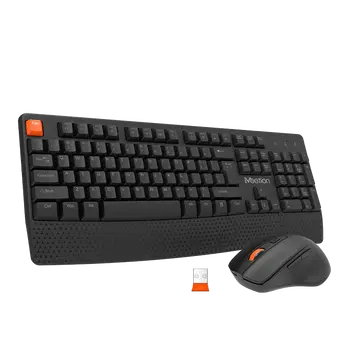
How To Connect Microsoft Sculpt Ergonomic Keyboard To Mac 1

Understanding the Compatibility: Exploring the Compatibility of Microsoft Sculpt Ergonomic Keyboard with Mac Devices

In today's fast-paced digital world, having the right tools and accessories to make your work more efficient and comfortable is essential. One such tool that has gained popularity among professionals is the wireless ergonomic keyboard. With its ergonomic design and wireless connectivity, it offers a comfortable typing experience while reducing the strain on your wrists and hands. In this article, we will explore the compatibility of Microsoft Sculpt Ergonomic Keyboard with Mac devices, uncovering the possibilities and advantages it brings to Mac users.

The Microsoft Sculpt Ergonomic Keyboard is known for its unique design, specifically crafted to provide a more natural and comfortable typing experience. Its curved layout promotes a more relaxed hand and wrist position, reducing the risk of repetitive strain injuries and other wrist-related discomfort. Furthermore, the keyboard offers a separate number pad, allowing users to customize their workspace setup according to their preferences.

While the Microsoft Sculpt Ergonomic Keyboard is primarily designed for Windows devices, it is still possible to connect it to Mac devices with a few simple steps. As Mac devices utilize a different operating system, users may encounter some compatibility issues while setting up the wireless connection. However, with the right instructions and guidance, Mac users can enjoy the benefits offered by this innovative keyboard.

To connect the Microsoft Sculpt Ergonomic Keyboard to a Mac device, you will need to follow these steps:

1. Ensure that your Mac device is powered on and in close proximity to the keyboard.

2. Turn on the keyboard by pressing the power button located on the top-right corner.

3. On your Mac device, go to System Preferences and select Bluetooth.

4. Make sure that Bluetooth is turned on and that your Mac is actively searching for nearby devices.

5. On the Microsoft Sculpt Ergonomic Keyboard, press the pairing button located on the bottom of the keyboard.

6. Your Mac will detect the keyboard and display it as an available device.

7. Select the keyboard from the list and click on the Connect button.

Once the connection is established, you can start using the Microsoft Sculpt Ergonomic Keyboard with your Mac device. It is important to note that some keys on the keyboard may not function properly, particularly those designed for Windows-specific functions. However, the basic typing functionality and ergonomic benefits will still be available to Mac users.

By connecting the Microsoft Sculpt Ergonomic Keyboard to your Mac device, you can enhance your productivity and comfort while working. The ergonomic design will help reduce the strain on your wrists and hands, enabling you to work for longer periods without discomfort or fatigue. The wireless connectivity eliminates the need for cumbersome cables and allows you to work from a distance, adding flexibility and convenience to your workflow.

In conclusion, the compatibility of the Microsoft Sculpt Ergonomic Keyboard with Mac devices is possible with a few simple steps. While there may be some limitations in terms of certain key functionalities, Mac users can still benefit from the ergonomic design and wireless connectivity of this innovative keyboard. By incorporating the Microsoft Sculpt Ergonomic Keyboard into your workspace, you can elevate your typing experience and promote a healthier working environment. So why wait? Connect your Microsoft Sculpt Ergonomic Keyboard to your Mac device today and experience the comfort and efficiency it brings.

How To Connect Microsoft Sculpt Ergonomic Keyboard To Mac 2

Gathering the Required Tools: Essential Steps to Prepare for Connecting the Microsoft Sculpt Ergonomic Keyboard to Your Mac

The advancement of technology has led to the creative development of various ergonomic keyboards that prioritize comfort and efficiency. One such innovative device that has gained popularity is the Microsoft Sculpt Ergonomic Keyboard. With its wireless capabilities and ergonomic design, this keyboard aims to enhance your typing experience and minimize discomfort during extended use. If you are a Mac user and interested in connecting the Microsoft Sculpt Ergonomic Keyboard to your machine, this article will guide you through the essential steps and tools required to successfully establish the connection.

Before proceeding with the connection process, ensure that you have all the necessary tools at hand. To connect the Microsoft Sculpt Ergonomic Keyboard to your Mac, you will need the following:

1. Microsoft Sculpt Ergonomic Keyboard: This wireless ergonomic keyboard is specifically designed to provide a comfortable and efficient typing experience. It features a split keyset design, a cushioned palm rest, and a separate number pad to minimize strain on your wrists and shoulders.

2. Mac computer: Make sure you have a functioning Mac computer with an available USB port or Bluetooth connectivity option.

3. USB receiver or Bluetooth connectivity: Depending on your keyboard model, you might require a USB receiver or Bluetooth connectivity to establish a wireless connection between your Mac and the Microsoft Sculpt Ergonomic Keyboard.

Once you have gathered all the necessary tools, follow these steps to connect your keyboard to your Mac:

1. Unbox the Microsoft Sculpt Ergonomic Keyboard: Carefully unwrap the keyboard and remove any protective packaging. Ensure that you do not damage any of the components during this process.

2. Insert the USB receiver (if applicable): If your Microsoft Sculpt Ergonomic Keyboard model requires a USB receiver, locate the USB port on your Mac computer. Insert the USB receiver firmly into the port to establish a connection. Your Mac should automatically recognize the new device.

3. Enable Bluetooth (if applicable): If your keyboard model supports Bluetooth connectivity, ensure that your Mac's Bluetooth is turned on. Go to the Apple menu, click on "System Preferences," and navigate to the Bluetooth settings. Turn on the Bluetooth function and wait for your Mac to detect the Microsoft Sculpt Ergonomic Keyboard.

4. Pair your keyboard with your Mac: Once your Mac recognizes the keyboard, it will display the device name on the screen. Select the keyboard name and click on the "Pair" or "Connect" button. Follow any on-screen prompts or enter any required passcodes to establish a secure connection.

5. Test the connection: After successfully connecting the Microsoft Sculpt Ergonomic Keyboard to your Mac, perform a quick test to ensure everything is functioning as expected. Open a text editor or a word processing software and type a few characters to check if the keyboard is accurately transmitting your input.

By following these simple steps, you can easily connect the Microsoft Sculpt Ergonomic Keyboard to your Mac and enjoy the comfort and productivity it offers. Remember to keep your keyboard and Mac software up to date to avoid any compatibility issues. Enjoy a seamless typing experience and reduce strain on your hands and wrists with this wireless ergonomic keyboard.

In conclusion, the Microsoft Sculpt Ergonomic Keyboard offers an ideal solution for Mac users seeking a comfortable and efficient typing experience. By gathering the necessary tools, such as the keyboard itself, a Mac computer, and either a USB receiver or Bluetooth connectivity, you can easily connect the keyboard to your Mac. Follow the provided steps to establish a secure connection, and remember to update your software regularly for optimal performance. With the Microsoft Sculpt Ergonomic Keyboard, typing on your Mac will become a delightful and ergonomic experience.

Establishing the Connection: Step-by-Step Guide to Pairing and Connecting the Microsoft Sculpt Ergonomic Keyboard to Your Mac

In this digital age, having the right tools to enhance productivity and comfort while working is crucial. One such tool is a wireless ergonomic keyboard, which provides a more natural typing experience and reduces strain on the wrists and hands. The Microsoft Sculpt Ergonomic Keyboard is renowned for its comfort and functionality, and in this article, we will guide you through the process of pairing and connecting this keyboard to your Mac.

Step 1: Unboxing and Preparation

Before initiating the pairing process, ensure that you have unpacked your Microsoft Sculpt Ergonomic Keyboard and inserted fresh batteries into it. Having a stable and reliable power source is essential for establishing a seamless connection between the keyboard and your Mac.

Step 2: Go to System Preferences

On your Mac, navigate to the Apple menu located in the top-left corner of the screen. From the drop-down menu, select "System Preferences." This will open a window where you can customize various settings on your Mac.

Step 3: Select Bluetooth

Within the System Preferences window, you will find multiple icons representing different sections. Look for the Bluetooth icon, usually located towards the top row of icons. Click on the Bluetooth icon to access the Bluetooth settings.

Step 4: Enable Bluetooth

In the Bluetooth settings window, make sure that the Bluetooth option is turned on. This will enable your Mac to discover and connect with nearby Bluetooth devices, including the Microsoft Sculpt Ergonomic Keyboard.

Step 5: Turn on the Keyboard

Press the power button on the Microsoft Sculpt Ergonomic Keyboard to turn it on. Once powered on, the keyboard will start searching for nearby devices to connect with.

Step 6: Pairing Mode

To put the Microsoft Sculpt Ergonomic Keyboard into pairing mode, press and hold the pairing button, usually located at the bottom of the keyboard, until the power LED starts blinking. This blinking light indicates that the keyboard is ready to establish a connection with your Mac.

Step 7: Pairing the Keyboard

In the Bluetooth settings window on your Mac, you will see a list of available devices to pair with. Locate the entry corresponding to the Microsoft Sculpt Ergonomic Keyboard and click on it. Your Mac will initiate the pairing process and establish a connection with the keyboard.

Step 8: Complete the Connection

Once the pairing process is initiated, your Mac will display a code on the screen. The code will also be shown on the Microsoft Sculpt Ergonomic Keyboard. Verify that the codes match, and if they do, confirm the connection on both devices. Your Mac will then finalize the pairing process, and the Microsoft Sculpt Ergonomic Keyboard will be successfully connected.

Step 9: Customize Keyboard Settings (Optional)

After successfully connecting the keyboard to your Mac, you may want to customize some settings to suit your preferences. Navigate back to the System Preferences window and click on the Keyboard icon. Here, you can adjust keyboard settings such as key repeat rate, input sources, and modifier keys.

With these easy-to-follow steps, you can effortlessly pair and connect the Microsoft Sculpt Ergonomic Keyboard to your Mac. Enjoy a more comfortable typing experience, increased productivity, and reduced strain on your wrists and hands. Embrace the convenience of wireless technology and optimize your work environment with the Meetion wireless ergonomic keyboard.

Configuring Keyboard Settings: Customizing the Microsoft Sculpt Ergonomic Keyboard for Optimal Performance on Your Mac

In today's fast-paced digital world, having the right tools to enhance productivity is crucial. When it comes to your computer, the keyboard plays a major role in your overall efficiency. The Microsoft Sculpt Ergonomic Keyboard is a wireless ergonomic keyboard that can greatly improve your typing experience. In this article, we will guide you through the process of connecting and configuring the Microsoft Sculpt Ergonomic Keyboard to your Mac for optimal performance.

Step 1: Connecting the Microsoft Sculpt Ergonomic Keyboard to Your Mac

Before diving into the configuration, let's start by connecting the keyboard to your Mac. The Microsoft Sculpt Ergonomic Keyboard utilizes a wireless connection, eliminating the need for tangled cables and giving you freedom of movement.

1. Start by turning on your Mac and ensuring that the Bluetooth feature is enabled. You can check this by clicking on the Bluetooth icon in the menu bar and selecting "Turn Bluetooth On" if it's not already enabled.

2. On the Microsoft Sculpt Ergonomic Keyboard, press and hold the Connect button located on the bottom of the keyboard. The keyboard will enter pairing mode, indicated by a blinking light.

3. On your Mac, navigate to the Apple menu and select "System Preferences." In the System Preferences window, click on "Bluetooth."

4. Your Mac will start searching for available devices. Within a few moments, you should see "Sculpt Ergonomic Keyboard" appear in the list of devices. Click on it to initiate the pairing process.

5. After a successful pairing, the Microsoft Sculpt Ergonomic Keyboard will be connected to your Mac, and the blinking light on the keyboard will stop. You are now ready to configure the keyboard settings for optimal performance.

Step 2: Customizing Keyboard Settings for Optimal Performance

The Microsoft Sculpt Ergonomic Keyboard offers various customization options to enhance your typing experience on your Mac. Here are a few key settings you can configure:

1. Keyboard Layout: By default, the keyboard layout may not match your country or personal preferences. To change the layout, go to the Apple menu, select "System Preferences," and click on "Keyboard." In the Keyboard settings, click on the "Change Keyboard Type" button and follow the on-screen instructions to select the appropriate layout.

2. Function Keys: The function keys on the Microsoft Sculpt Ergonomic Keyboard can be adjusted to perform different actions. To customize the function keys, go to the Apple menu, select "System Preferences," and click on "Keyboard." In the Keyboard settings, select the "Keyboard" tab and check the box that says "Use F1, F2, etc. keys as standard function keys."

3. Key Repeat and Delay: The key repeat and delay settings determine how quickly a key will repeat when held down and the delay before key repetition begins. To adjust these settings, go to the Apple menu, select "System Preferences," and click on "Keyboard." In the Keyboard settings, click on the "Keyboard" tab and adjust the sliders for "Key Repeat" and "Delay Until Repeat" according to your preference.

4. Modifier Keys: The modifier keys, such as Command, Option, Control, and Shift, can also be customized. To configure the modifier keys, go to the Apple menu, select "System Preferences," and click on "Keyboard." In the Keyboard settings, click on the "Modifier Keys" button and assign your preferred functions to each key.

By following these steps and customizing the keyboard settings, you can optimize the Microsoft Sculpt Ergonomic Keyboard for optimal performance on your Mac. The wireless ergonomic design of this keyboard, combined with the ability to tailor it to your specific preferences, will greatly enhance your typing experience and increase your productivity. So go ahead, connect your Microsoft Sculpt Ergonomic Keyboard to your Mac, and enjoy a more comfortable and efficient typing experience.

Troubleshooting and FAQs: Common Issues and Solutions When Connecting the Microsoft Sculpt Ergonomic Keyboard to a Mac

In today's digital age, where we spend hours working and typing on our computers, it is essential to have an ergonomic keyboard that promotes comfort and reduces strain. The Microsoft Sculpt Ergonomic Keyboard is one such device that provides a wireless and comfortable typing experience. However, connecting this keyboard to a Mac can sometimes be challenging. In this article, we will explore common issues faced when connecting the Microsoft Sculpt Ergonomic Keyboard to a Mac, along with their solutions, ensuring a seamless and productive experience.

1. Ensuring Compatibility:

Before starting the connection process, it is crucial to ensure the compatibility between the Microsoft Sculpt Ergonomic Keyboard and your Mac device. Check if your Mac has Bluetooth connectivity and that it supports HID (Human Interface Device) keyboards. Typically, most Mac models released after 2012 are compatible with the keyboard.

2. Pairing Process:

The first step to connecting the Microsoft Sculpt Ergonomic Keyboard to your Mac is to put it in pairing mode. To do this, locate the pairing button on the underside of the keyboard and press it until the power indicator light starts flashing. This indicates that the keyboard is ready to be paired.

3. Bluetooth Connectivity:

To establish the connection, navigate to the Bluetooth settings on your Mac. Ensure that Bluetooth is turned on and search for available devices. The Microsoft Sculpt Ergonomic Keyboard should appear in the list. Select it to proceed with pairing.

4. Pairing Failed:

In some instances, the pairing process may fail. If you encounter this issue, try the following solutions:

a. Ensure that the keyboard is within the range of your Mac, preferably within 30 feet, as the Bluetooth signal weakens with distance.

b. Restart both your Mac and the keyboard, then attempt the pairing process again.

c. If the issue persists, remove any previously paired Microsoft Sculpt Ergonomic Keyboard from the Bluetooth settings and retry the connection process.

5. Battery and Power:

If your Microsoft Sculpt Ergonomic Keyboard does not power on or stops working abruptly, the battery might be the culprit. Ensure that the keyboard has sufficient battery power. If not, replace the batteries and try reconnecting.

6. Keyboard Layout and Compatibility Issues:

Occasionally, after connecting the keyboard, you may experience layout or compatibility issues with specific Mac applications. To resolve this, check for any available software updates for your Mac and install them. Additionally, verify if there are any firmware updates or driver software updates for the Microsoft Sculpt Ergonomic Keyboard on the official Microsoft website.

7. Slow Response or Keystroke Delay:

If you notice a lag in keyboard response or keystroke delay, follow these troubleshooting steps:

a. Verify that there are no other Bluetooth devices interfering with the connection. Move your Mac and keyboard away from other wireless devices.

b. Restart your Mac and the keyboard, then pair them again.

c. In the Bluetooth settings, remove any other unnecessary devices that may be causing interference.

Connecting the Microsoft Sculpt Ergonomic Keyboard to a Mac may appear daunting initially, but with the right troubleshooting steps, it can be accomplished smoothly. By ensuring compatibility, following the correct pairing process, and troubleshooting common issues like failed pairing, battery power, layout compatibility, response delays, and interference, you will be able to seamlessly connect your wireless ergonomic keyboard to your Mac. Enjoy the enhanced typing experience and ergonomic design offered by the Microsoft Sculpt Ergonomic Keyboard, relieving stress and promoting productivity throughout your workday.

Conclusion

1. The Ease and Benefits of Connecting the Microsoft Sculpt Ergonomic Keyboard to Mac

In conclusion, the process of connecting the Microsoft Sculpt Ergonomic Keyboard to a Mac is a simple and rewarding one. By following the step-by-step instructions provided by Microsoft and utilizing the appropriate tools and drivers, Mac users can enjoy the many benefits that this ergonomic keyboard has to offer. From its comfortable and intuitive design to its customizable features, the Sculpt Ergonomic Keyboard enhances productivity and reduces the risk of discomfort or injury. So, whether you are a professional who spends long hours at your desk or a casual user looking to improve your typing experience, connecting this keyboard to your Mac is definitely worth the effort.

2. The Integration of Microsoft Sculpt Ergonomic Keyboard and Mac for Enhanced Efficiency

In summary, the integration of the Microsoft Sculpt Ergonomic Keyboard with a Mac system offers an opportunity for increased efficiency and convenience. Through the installation of Microsoft's Mouse and Keyboard Center software, users can customize key functions, adjust the responsiveness of the keyboard, and take advantage of additional features that enhance productivity. The ergonomic design of the keyboard further complements the Mac's sleek and minimalist aesthetics while prioritizing user comfort and reducing potential strain. By following the provided instructions and ensuring compatibility, Mac users can seamlessly connect the Microsoft Sculpt Ergonomic Keyboard and reap the rewards of a more enjoyable and efficient typing experience.

3. Bridging the Gap: Connecting Microsoft Sculpt Ergonomic Keyboard to a Mac

In conclusion, bridging the gap between Microsoft and Apple ecosystems is made possible through the connection of the Sculpt Ergonomic Keyboard to a Mac. Despite the initial challenges surrounding compatibility, Microsoft has provided Mac users with detailed instructions to seamlessly connect their ergonomic keyboard. By following these steps and utilizing the Mouse and Keyboard Center software, users can unlock the full potential of this innovative keyboard, tailored specifically to enhance typing experience and provide long-term comfort. With its ergonomic design and customizable features, the Microsoft Sculpt Ergonomic Keyboard offers a perfect balance of usability and aesthetic integration with the Mac system. So why wait? Connect and elevate your productivity today!

Contact Us For Any Support Now
Table of Contents
Product Guidance
GET IN TOUCH WITH Us
recommended articles
FAQ News Blog
no data

News

Join our community
The Perfect Choice for Gamers
弹窗效果
Do you want to enter?
no data
no data
Customer service
detect