ColinVerified purchase
Does not slide during fast typing
The rubber pads under each corner grip a varnished desk firmly. I type at around eighty words a minute and it has never crept toward the monitor.
Pricing on request — contact us for a quote
Save 5% with a promo code.
Details
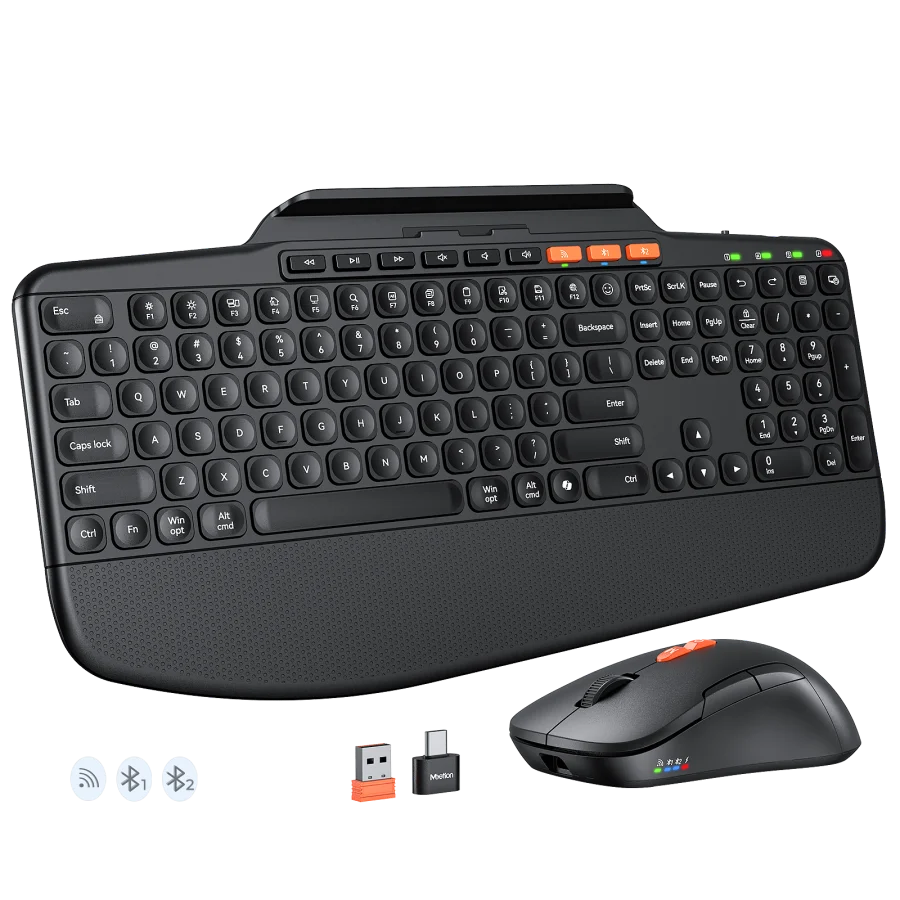
The Director E combines a space-saving ergonomic keyboard and comfortable wireless mouse to create a healthier workspace. Its split layout, cushioned palm rest, adjustable angles, and multi-device connectivity help reduce strain
Color: Black Gray
Based on 4 reviews
Showing 1–4 of 4 reviews
The rubber pads under each corner grip a varnished desk firmly. I type at around eighty words a minute and it has never crept toward the monitor.
It reaches a front USB port comfortably, but from a tower under the desk I needed an extension. Worth checking where your ports are before ordering.
The folding feet give a low and a raised position. At the raised angle there is no rock when I type hard, which was a problem on my last keyboard.
The modifiers land in the right place and the shortcuts I use daily behave correctly. I did not need to swap any keycaps after moving from a MacBook.
Reviews are limited to verified buyers. Sign in with the email you ordered with and submit from your order page.
It supports 1200-1600-2400-3200 DPI.
It connects via USB.
It supports Windows/MacOS.
Download the DirectorE Split Curved Ergonomic Keyboard and Mouse user manual. The page lists the languages and file size.
Need help with this product?
Submit an after-sales request with your order details, or browse manuals, software and setup videos.
User manuals
Director E User Manual